Before today, I was pretty sure that was due to a slow SD Card, and after watching that happen over and over again today with all sorts of debugging tools watching what’s going on, I’m even more positive it’s just how the card responds sometimes. The Delkin card performs a lot better, but still will go solid red sometimes.
I did make some improvements that help a bit, but ultimately we’re limited by how much data the card can put out.
I might add another option to let you choose the block size (basically how much data to read at one time) which probably varies from card to card.
I’m making TSP-12 right now, will post it later.
No, it streams the file in its native format. We could save RAM by using the file’s native format, at the expense of more CPU usage (not much, really – much less than it takes to resample from 44.1k to 48k). I might do that, since having the file fully loaded in RAM avoids a lot of issues.
shoot i missed that there was a tsp 11. anything of note changed with that one? will up to 12, i see it’s done baking.. anything w 12 i should try out while running through all these ymls (i.e. loading/running while patch+all 6 tsps are going)?
all about having more ram/reliability to work w! the tsp seems pretty reasonably lite of cpu already.. i guess my 6 don’t really compare to the 32 you had going, but still
Ah, TSP-11 didn’t change anything related to TSP.
TSP-12 changed the buffer sizes, let me know if you have less issues.
I’m thinking now the best strategy is to put some samples in RAM, that is, set the Max Buffer Size to the highest setting for as many samples as you can. Then these ones will be fully buffered and won’t need any disk access as they play. Other samples can then be streamed from disk. Depending on the SD Card brand/speed, the reliable maximum number of large stereo files that can stream on a loop would vary.
I’m also thinking… all the sample size and buffer calculations could be done by the module itself if we made a 6x stereo channel version. That is, the version we have now works great if you’re streaming 1–4 files (maybe more depending on the card). To do more than that, we could have a 6x module that lets you choose 6 sample files and then it will figure out the optimal buffering strategy.
You’re right, trading a tiny bit of CPU for freeing up potentially half the RAM is a big win. OK, I’ll implement that.
so far tsp12 (just installed it 30 minutes ago), the gui seems quite sluggish, vs tsp-10 firm. especially right when running the patch. i had one patch that hadn’t given me any problems all day, the gui became unresponsive. i could still hear the music, but after a minute or so that stopped completely and the mm appears to have hung. this is with the 6x patch that has large 50mb+ samples loading in each, with the buffer set to 32mb/thresh 80%.
edit: seems the sluggish gui is just occurring for a minute or so right upon running each patch, all read lights solid red. and then the gui becomes normal again. guessing this sluggishness is due to initial ram load. the weird crash i haven’t seen again, but maybe had something to do with having not turned off all tsps before loading and running the next yml.
this would be a really really great win! the more we can squeeze into ram the better for stability.
so far with tsp12 firm and the buffer set to 32mb for all 6: im running through those ymls w both small (the ones i sent to you) and 8x length wavs, i’m only noticing a few occasional underflows right after triggering play on all 6 tsps in quick succession. im guessing that’s just the tsps trying to quickly cram as much into ram as possible. so far its not egregious sounding at all. but most importantly i havent experienced the bad ‘3 tsps fall apart after a few minutes, and stay underflowing for as long as the patch remains running’ issue like before, so that’s at least good! although i haven’t tried ymls with tsp buffers set lower than 32/thresh 80% with firm tsp12
Yeah in TSP-12 I traded some GUI time for sd card reading time. So sluggish GUI is expected when streaming 6x large files with large buffers and threshold. When the patch is first loaded, it preloads the buffers but the lights don’t turn red since it’s not playing yet. With a 32MB buffer and 80% threshold, that’s 69.9 seconds of audio in the buffer below the threshold. So it makes sense that after a 1-2 minutes it needs to refill the buffers . I wonder if setting different thresholds for each TSP would help (so the SD Card isn’t slammed all at once). Maybe two at 40%, two at 60%, two at 80%.
Still shouldn’t crash… so there’s some other bug still lurking. I haven’t run into it yet but will keep watching.
Right, that’s just the inevitable SD card bottleneck: presumably this would happen less using the Delkin card.
that makes total sense and honestly good to hear that the priority is shifted for audio stability there. i’ll personally take a slow gui any day over audio dropouts.
good idea, i’ll give that a try! the turning on all 6 tsps at once is really an extreme case but quickest/easiest for testing. not something i have ever actually done live. but i guess could see where someone doing a certain type of set might want to just have a background sound bed where, when the patch runs, all the loops auto start at once (source module +v running into all 6 gate ins) and loop asynchronously with each other from there. i haven’t actually tried wiring up these patches for a real extreme test case like that.
Right, we’re testing worst-case situations, or at least finding the balance. So far in my experience 4 x TSPs streaming from the SanDisk that comes with the MM works fine without much special consideration. It seems like 6 stereo files is right around the limit using the SanDisk, where you have to stagger their initial buffering or use a faster card like the Delkin.
Plus, hitting the modules hard like this brings out some bugs, which is great to find before official release.
I have TSP-14, which uses half the amount of RAM for 16-bit sample files (TSP-13 is skipped). I also added a “buffer bar” which shows the portion of the sample that’s buffered, and the relative position of the playback head. So you can visualize easily the difference between 80% threshold and 20% threshold, and if a given buffer size is large enough. Also should be helpful for debugging issues – if one TSP is behind the others or is about to stall you could see it ahead of time.
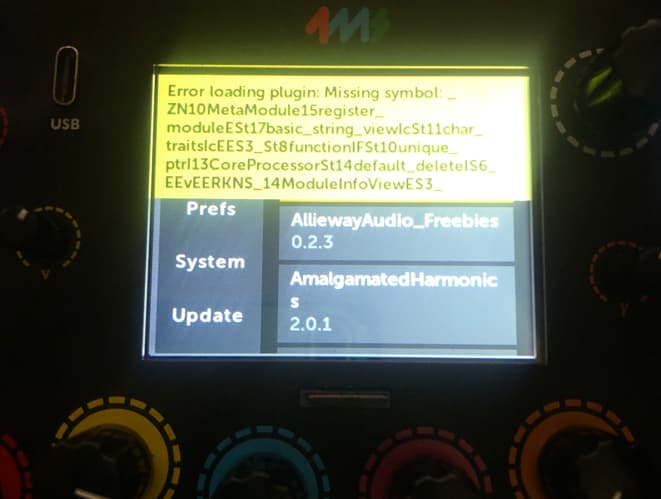
alright seems to be working ok now! both plugin errors gone, and sample refs working.
i did just run across the issue we encountered last week where the one of the tsps (1st one in this case) was freaking out a bit and emitting many bursts of white noise while playing. but i had loaded that patch while 2-3 of the tsps in the previous where still playing. however i did at least stop running the entire patch, before loading in and running the patch where i encountered this issue. you mentioned maybe having fixed that? or at least identified it.. can’t remember.
edit: ok im seeing this again in a patch that i loaded after a patch where i turned off all tsps and stopped running before. this new patch uses a buff thresh of 20% instead of 80%, but i wouldn’t think that would cause the white noise spikes
but the good news is: these ymls are running a bit cooler at 41% cpu whereas before they were running an average of 46%. which is awesome!
Hmm… the noise thing again. OK, I’ll look for it…
Edit: OK I hit the bug! It’s indeed the same thing that was happening before.
Update: I found the issue. It was the same thing from before, which I thought I fixed but now am realizing it goes deeper than I realized. For anyone interested, it’s the same thing Zephyr (the popular RTOS) realized they had to deal as well: RFC: libc: thread-safe newlib · Issue #21519 · zephyrproject-rtos/zephyr · GitHub
I implemented the locking methods and reentrancy structures newlib’s libc requires, and have been running through patches with 6x TSPs and 2-10MB files, without any errors or weird behavior (using the slow SD card that I haven’t done anything special).
curious- so this fixes the crashing issues or weird glitches when hitting run on a new patch while a current one is already playing(tsps running as well)? i’m assuming that’s what it maybe is via “locking methods and reentrancy structures”
im unable to test this atm since my mms are firmware locked for a live performance. but later this week can test for those or whatever other things specifically.
Right, I made the library that handles low-level stuff (like filesystem and memory allocation) thread-safe. It turned out that all of the weird/random crashes when loading or unloading a patch were caused by multiple files/modules not sharing the shared resources well, aka not being “thread-safe” or “concurrent safe”.
So far for me I haven’t seen a crash, but I’ve said that before and been wrong! I’m hesitant to say “I’m 100% sure I fixed everything” since I can’t prove I didn’t miss some other shared resource that’s still not thread-safe (e.g. the library requires that weird things like checking the current timezone had to be made thread-safe).
Edit: I did find something already where it could crash when closing a patch if the sd card is stalling for one module and that module gets deleted. So I’ll fix it for TSP-18
ok so far w tsp17 im noticing more underflow freak outs when running the patch and only triggering play on tsps 1-3 right after i hit run and see the cpu appear in the top right. i actually noticed this with tsp15, but didn’t have time then to do deeper tests.
my current tests are with freshly formatted sdcs (using the tool, slow method). im also using a new set of 32 ymls, but they’re similar to the previous ones i sent you. buffer 32mb, threshold 80% on all 6 tsps. also im using .wavs that are precisely double (via batch script in goldwave) the length of the previous ones i sent you - a length much closer to what i hope to be able to use now during live performances (since the 16bit/ram thing was implemented).
i also tried with 2 different freshly formatted usb3 drive, but same underflow behaviors as with the sdc’s
these underflows are happening fairly frequently
i’ll dm you a link to these ymls/wavs im now working with
i will say that ive been loading in ymls with the previous one still playing (& tsps playing) and things seem stable there (i see you mentioned something about finding something new/tsp18 but haven’t run across that crash yet, edit: did just run into a crash)
edit: i also tried with the initial batch of samples i sent your way, and still same issues.
also, im curious is there any order to which tsps loads first or do they all just start preloading at the same time and at the same rate each? im noticing that if i wait a little bit after hitting run, and then trigger play, these underruns don’t seem to be as much of an issue. obviously it would be awesome to be able to trigger at least the 1st 2 tsps quickly after hitting run… but i guess if i had to wait on the preloading, im curious if there’s any way to tell immediately when it’s safe to start playing? i certainly wouldn’t want to have to wait as long as it takes for all the orange bars are filled to start triggering, even though i realize that is going to be the safest point to prevent these initial underflows.. i guess i can always do tests with a stop watch, but on stage it seems not ideal to have to use a stop watch every time i hit run on a new yml.
im also noticing that if i don’t hit play on any of the tsps and wait, the orange bars don’t fill all the way, they stop at about 75%, even though these samples should fit into ram fully, since they’re all at or under that 32mb. after hitting play, the orange bars do finally complete filling up. is this normal behavior? maybe its not important.
I think I know what’s happening – if you press Play on a sampler before it’s done prebuffering (that is, while the red light is still solid) then it’ll start playing even though it doesn’t have enough samples pre-buffered. This defeats the purpose of having a buffer (or at least having a large buffer) and taxes the SD Card more than necessary.
I realize now that the TSP lets you play before the buffer is full enough! That shouldn’t be allowed. If you try to play the TSP and the buffer is not full, it should turn the play button yellow and wait until it has enough samples to play. I’ll fix that.
Another thing I can do is to not let the module start playback until it’s buffered enough.
That makes sense, and I think that’s the solution. By waiting you are letting the buffer fill up. Then when you start playback the sampler can read from the buffer and only needs to “top it off” as needed. That’s the intended way to use the TSP – starting playback only after you’ve pre-buffered enough samples.
I think in this case since you have large samples (~20MB average maybe) and six of them in a patch, so with an 80% threshold there’s a lot of data that needs to be pre-buffered. Therefore it takes a long time (30-60 seconds based on a few of the patches you sent). If you reduce the threshold to 20% it’ll be ready for playback 4x as fast. Since it’s 20% of the sample size, that’s still a huge buffer.
I’m wondering if the way I have it with a percentage as the buffer threshold is actually a good idea or not. It might make the function of the threshold more clear if it was a size in MB or maybe even in seconds. Maybe there’s another way I can name the feature so that it’s more clear that it’s adjusts the balance between how long you’re willing to wait until it’s ready to play vs. how long of a SD Card stall will it be capable of handling.
Also – Have you had a chance to try out the Delkin card? With the new larger samples you just sent, doing side-by-side tests with the Delkin in one MM and the stock MM SanDisk in the other MM, the Delkin one will fully pre-buffer a patch in about 60-75% of the time. E.g. patch 02 in 38 seconds while the SanDisk takes 57 seconds, or 52 seconds vs. 1:26.
Also as I was testing I found the time varies widely depending on if I had already loaded those files since inserting the SD Card.
They all start preloading as soon as the patch is played.
The rate at which they pre-load is entirely up to the SD Card. And this is the big technical hurdle with doing streaming players – you can’t control how long the SD Card will take to respond, and there’s no rhyme or reason about it. It might favor one file this time and the next time it favors a different file.
But if you wanted to say have TSP 1 and 2 be ready first then you could set their thresholds lower than the others. This is not so straightforward the way I have it as a %age right now since the files sizes could be different so the % is not comparable. I think I’ll change how that’s displayed to make it easier…
Right. They actually stop at 80%, which is the buffer threshold. If you change the buffer threshold to 20% then they’ll stop at 20%. The idea of the orange bar is to be able to visualize how much of the sample is buffered and where the play head is in relation to that. So if the orange bar goes all the way across, then that means the entire sample is buffered. If the white box is close to the right side of the orange buffered region, then that means you have very little samples left to play without running out of buffer space