My first semi-modular was the 0-Coast. I used it for years, sold it… and yeah, I still miss it sometimes.
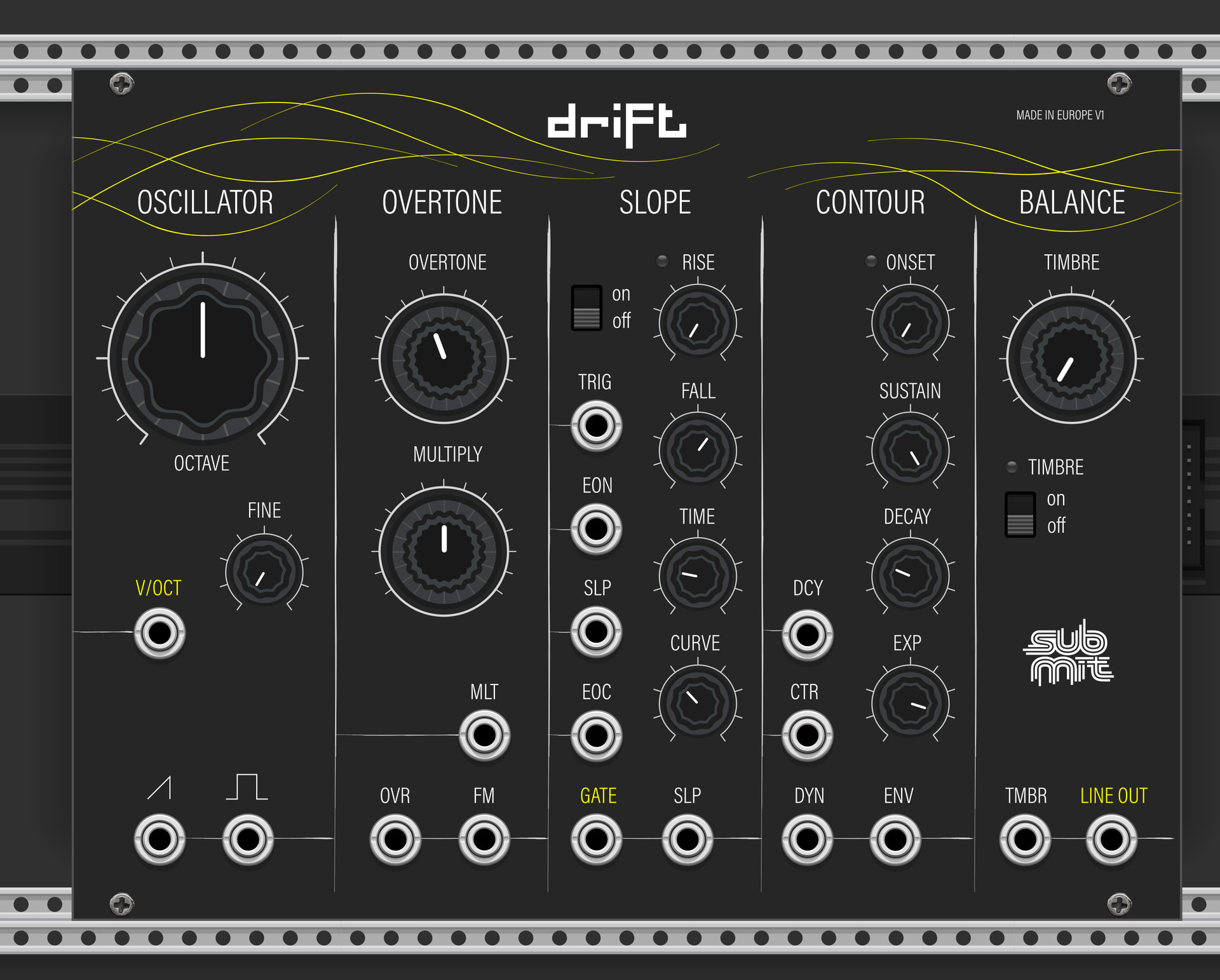
That’s what pushed me to build my own module — inspired by that idea, but definitely not a clone. Drift has its own character, its own quirks, and its own sound.
This is my first module, so I figured: why not start with something that really challenged me.
Right now this is the first beta, only for VCV Rack. I’m still testing and shaping it, and once I’m fully happy, I’ll also build a version for the MetaModule.
If you feel like trying it:
download it, play with it, break it
and let me know what you think — all feedback is welcome
Please make sure you’re using VCV Rack 2.6.x (the plugin was built with SDK 2.6.6).
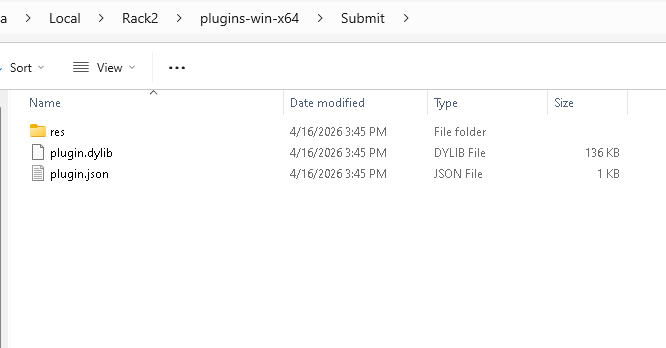
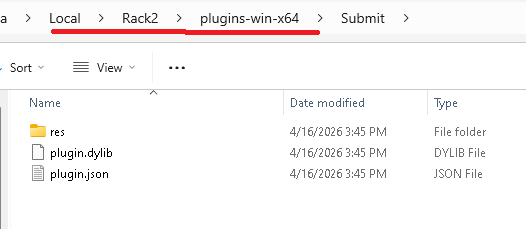
Place the .vcvplugin file in:
C:\Users[yourname]\Documents\Rack2\plugins\
Not in the VCV Rack installation folder itself.
After placing the file, restart VCV Rack completely.
If it still doesn’t show up, please let me know:
Your VCV Rack version (Help → About)
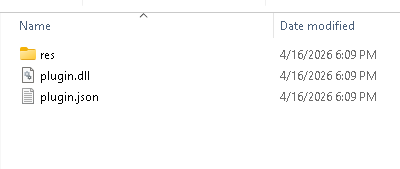
-A screenshot of your plugins folder
@submit just ask the agent why its not working and you have your answer instantly. In my case i just pasted which folder to look in and why it isn’t loading.
Also you have the rack .log which will list why something isn’t loading and you can ask the Agent to fix it by just giving it the log entry.
*
Rack’s log has the actual failure:
“Could not load plugin … Submit: Plugin defines module Chrono but it is not defined in manifest”*
What I found:
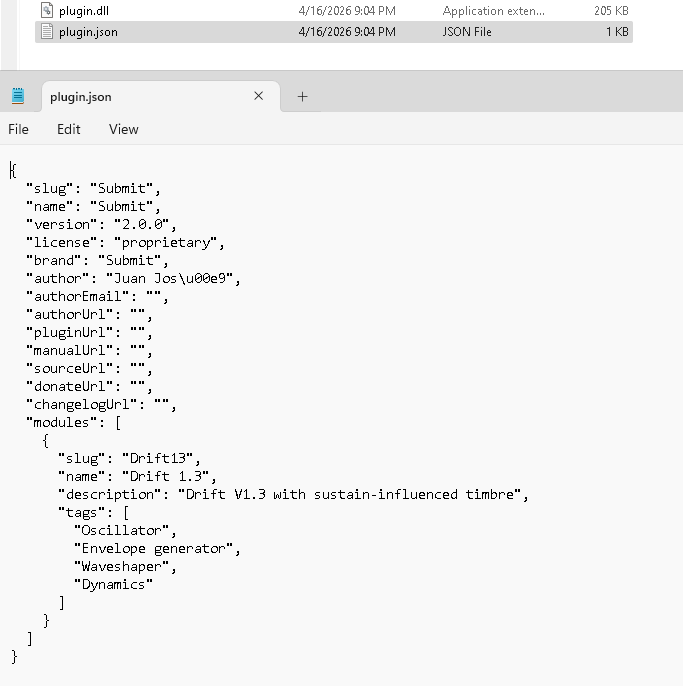
The manifest sets brand to Submit, so the brand field itself is not the problem.
The manifest only declares one module: Drift13.
The DLL exports both modelDrift13 and modelChrono.
The res folder also contains both Drift13.svg and Chrono.svg.
So this looks like a manifest/code mismatch: the binary is registering Chrono, but plugin.json does not include a Chrono module entry. Rack rejects the whole plugin on that error.
Most likely fix for your friend:
Add a Chrono entry to plugin.json if that module is meant to ship.
Or remove the p->addModel(modelChrono) registration from the plugin init code if Chrono is not supposed to be included.
Thanks for the detailed log — that was exactly what we needed!
The issue was a manifest/binary mismatch: the compiled DLL was still registering a modelChrono module internally, while the plugin.json manifest only declared Drift13. VCV Rack rejects the entire plugin when it detects this inconsistency.
Fix applied:
Removed p->addModel(modelChrono) from plugin.cpp
Removed extern Model* modelChrono from plugin.hpp
Rebuilt with the official VCV Rack plugin toolchain
A new build (v1.3-beta4) is now available — hopefully this resolves the loading issue on Windows!
Thank you! It runs great on my Mac m4. I haven’t used the 0-coast so cant compare, but seems fine with the features as is. It behaves differently from what I am used to so it takes a bit of experimentation. I am looking forward to more of the quirky stuff that the original has. If that is your plan?