My new project enables musicians and sound designers to build audio modules using Max RNBO’s visual programming language.
Simple scripts generate complete plugins from your RNBO patches, perfect for rapid prototyping or as a starting point for custom development.
Use the speed and ease of Max/RNBO to develop your ideas,
then quickly and easily deploy to VCV Rack desktop,
then (optionally) move your module to 4ms MetaModule eurorack module.
This is terrific! Thanks for putting it together. At the moment I don’t have enough time for music-making, let alone instrument-making, but at some point I hope to dive in and make my first module.
this looks really awesome - not only for the mm community, but for the vcv community at large so THANK YOU! looking fwd to diving straight in when i have time. although im on windows so we’ll see what extra hoops will lie in the path.
I tested this morning on windows, and made some minor changes to improve compatibility ( * ) .
Also, added a note in the setup about what the path needs to be set to.
with that I was able to do the whole create, compile process and it all works fine.
fyi: everything Im using is cross-platform , and msys is a unix-like environment, so everything works in a similar way to Mac/Linux.
( * ) I had to remove unicode characters from terminal messages, as msys doesn’t support them all.
there is one minor issue, it all works, but you’ll see an error/warning when its validating metamodule plugin-mm.json
its something to do with metamodule sdk and cmake running jq under msys.
there is an error when it runs jq to validate the plugin-mm.json.
seem to be not liking the full path/file name under msys/windows ?
if I run jq -e . plugin-mm.json from the command line it runs fine, so its not the json file.
unfortunately, not something I can ‘fix’ as its in the metamodule sdk (plugin.cmake), so needs to be done there - or allow me to turn off jq validation. (even if jq is installed).
but as I say, it works, just a bit misleading.
BTW: for those that give this a go, please let me know how you get on.
particularly,
are there areas where the documentation could be a bit clearer?
did you have to do something that not included?
if there are any gotchas etc, then I’ll update document or can create an FAQ or something with extra tips/tricks.
I’m trying to keep the documentation brief / concise…
as I don’t want to put people off by a 30 page document, hence its a do this, do that… rather than trying to explain the steps too much.
also aimed at non-developers, so assumes you will install everything as default, not try to customise - Im assuming developers who want to diverge from that path will know what they are doing
I should also say, once you get used to the process. everything that is created by the scripts is standard vca / metamodule code etc. so you can always go further / get more info, by looking at those projects (excellent) documentation.
awesome! so i’m now going through the process on windows. although i have a lot of experience with max/msp, i am a complete newb to setting up a build environment. i was able to get mysys2 installed ok per the instructions at the vcv site. im now at the point of downloading ARM GNU Toolchain 12.2 or 12.3 - there are a lot of options under the “AArch32 bare-metal target (arm-none-eabi)” section! would you recommend the .zip or the .exe (if that is important, might be worth clarifying in the steps)?
i went ahead and downloaded the .exe. upon running it, it is asking to install it in “C:\Program Files (x86)\Arm GNU Toolchain arm-none-eabi\12.3 rel1”, however “msys2” is installed in “C:\msys64” – should the ARM GNU Toolchain be installed somewhere in C:\msys64 folder or does that even matter in terms of the PATH you mention?
so you mention in section 1 in your setup guide “Ensure it’s on your PATH” - is said path setup by running the “export PATH=/c/Program\ Files\ (x86)/Arm\ GNU\ Toolchain\arm-none-eabi/12.3\ rel1/bin:$PATH” command inside the MSYS2 MINGW64 Shell terminal?
any clarity there would be awesome! i want to make sure i get this done right first run through.
edit:
thinking ahead: section “2 Get the Project - 4. Clone your fork” - forking part made sense but the cloning: do we need to have some other app installed to run these git commands or can they be executed directly via the MSYS2 MINGW64 Shell terminal?
edit2:
also jumping ahead to the rack sdk section, i downloaded the Rack-SDK-latest-win-x64.zip and manually unzipped the Rack-SDK folder into the C:/msys64 folder - or should that Rack-SDK folder live somewhere else? or does it even matter? i assume that i will need to set another path in the terminal to that Rack-SDK folder so that things will work properly during the testing the setup phase?
What was the error?
The plugin.cmake runs this command:
${JQ_EXECUTABLE} -e . ${PLUGIN_MM_JSON_SOURCE} > /dev/null
Could it be something to do with spaces in the path to the plugin-mm.json file?
I can run it on a github runner using msys and see if I can get an error…
Edit: OK I ran it on msys and got
[927/940] Validating plugin-mm.json
The system cannot find the path specified.
"**** Error: JSON syntax error in D:/a/XOXDrums/XOXDrums/plugin-mm.json"
Must be some difference in msys paths.. I’ll look into it
thank you for clarifying! good to know all commands needed to be executed within MSYS2 MINGW64 Shell.
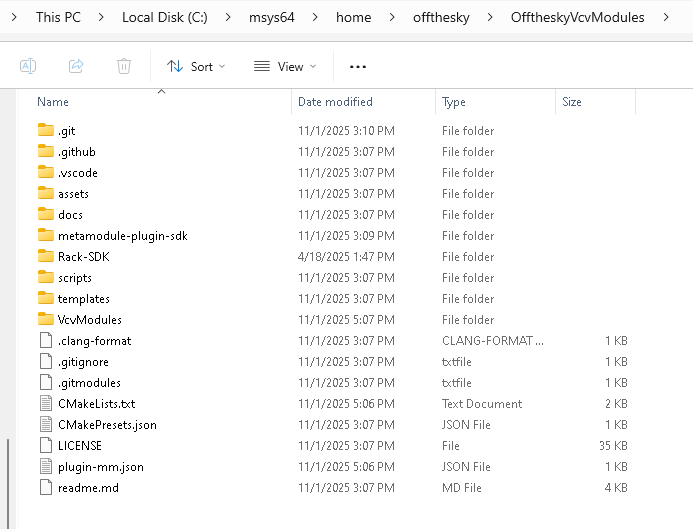
so was able to get everything cloned and the sdk in the right place. unfortunately followed your instructions in the video to do it via shell, but it didn’t work (shell stated no such path for file, something like that). but was able to manually unzip it and move the “Rack-SDK” folder into here: “C:\msys64\home\offthesky\OfftheskyVcvModules”.
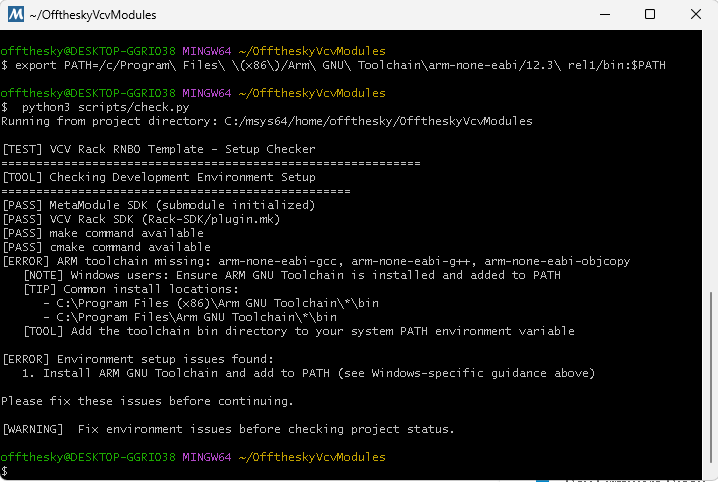
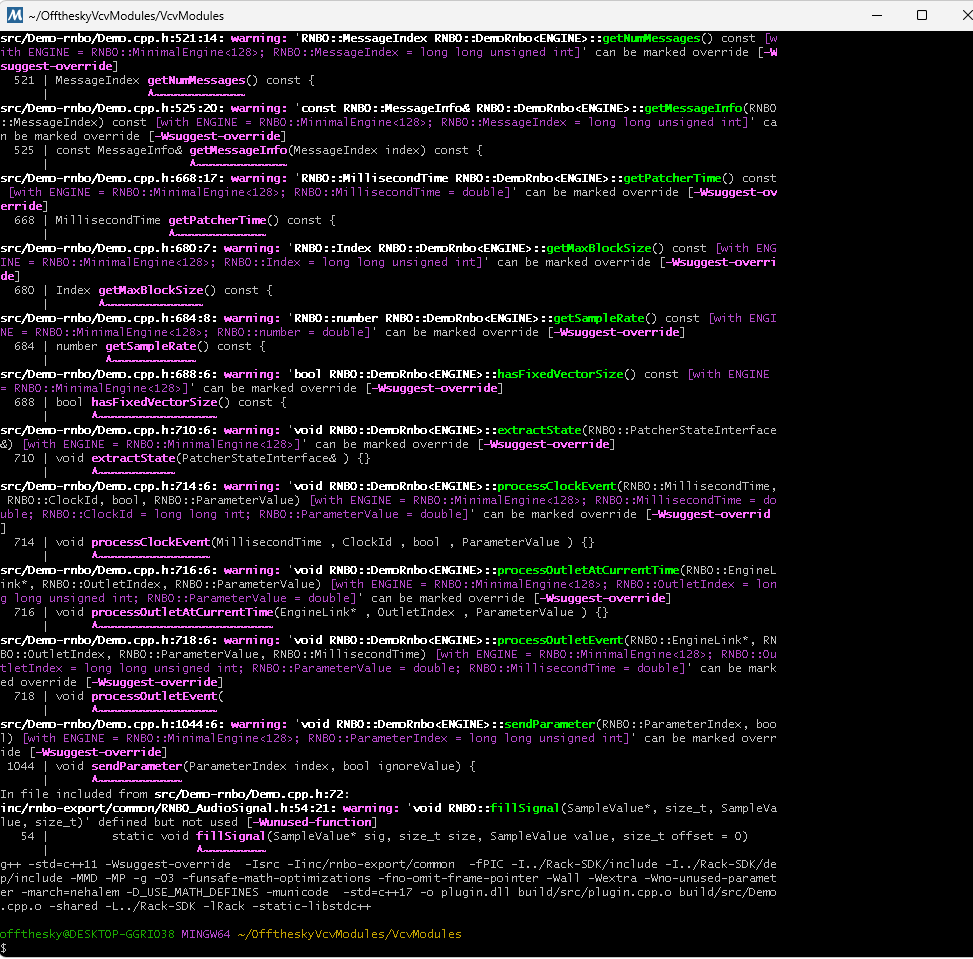
upon running the first test “python3 scripts/check.py” i’m seeing an error related to the arm path:
as you can see i had run this (and that seemed to work ok?):
export PATH=/c/Program\ Files\ (x86)/Arm\ GNU\ Toolchain\arm-none-eabi/12.3\ rel1/bin:$PATH
maybe this arm path issue is something to do with the error/warning when its validating metamodule plugin-mm.json you mentioned above?
im not finding any .vcvplugin file here C:\Users\offthesky\AppData\Local\Rack2\plugins-win-x64 or in here (i’m guessing im just doing something wrong here ):
an interesting ‘factoid’ that might help others later
whilst I created the ‘templates’ ( i.e. c++ code etc) by hand.
I’ve been using (AI) GitHub copilot to create all the scripts (and some of the documentation) - and so it has built up a ‘reasonable’ understanding of the project and code base.
this ‘context’ has been saved in .github/copilot-instructions.md
(I’ll try to remember to update it, as needed)
how is this useful?
a) useful info for a ‘human’
it is human readable, and basically contains a summary and details about how the project works etc.
b) use for AI
if you feed this into an AI model that has access to the code base then it will have a reasonable understanding of what’s going on
c) if you have GitHub CoPilot and use vscode (visual studio code, free), its there automatically.
really an extension of (b), but basically if you use and have GitHub copilot, it’ll see it in the project and read it.. to ‘know about the project’)
note: there is a CoPilot Free tier on GitHub (GitHub Copilot · Your AI pair programmer · GitHub) , but Im not sure if this covers this usage or not (try it out) as I have Copilot Pro.
similarly, Im not sure how/if you can integrate with other solutions (for (b)), possibly, it likely needs access to files, but I guess could grab from GitHub?
how can this be used?
whilst its not something I can ‘support’ (as everyones experience is different), generally it can be used in two ways (probably more ;))
ask it questions
it knows about the build process, so likely can answer questions if you have issues etc.
or generally need some info. e.g. ask it how to update to latest version, how to commit to your modules to GitHub etc.
extension / changes
ok, mileage will vary a lot on this… and Id advise to do this only once you are very confident with the existing process of creating modules etc.
however it might be able to help you to make changes to the code thats been created. the code I create has to be ‘generic’, but your ‘final module’ does not.
note: whilst you could get it to change the templates/scripts Id suggest you do not, as this likely will make them incompatible with my future updates. stick to changing the generated files.
simpler builds
my instructions have to be concise and work on different machines / platforms, you dont have this ‘requirement’, so you could get it to create some custom scripts suited to your machine.
(again don’t overwrite ‘my’ files)
theres probably many variations on the above.
side note (unrelated to AI) :
if there is interest in the project, I do want to do another video on how to create ‘custom’ UI’s this is actually relatively simple.
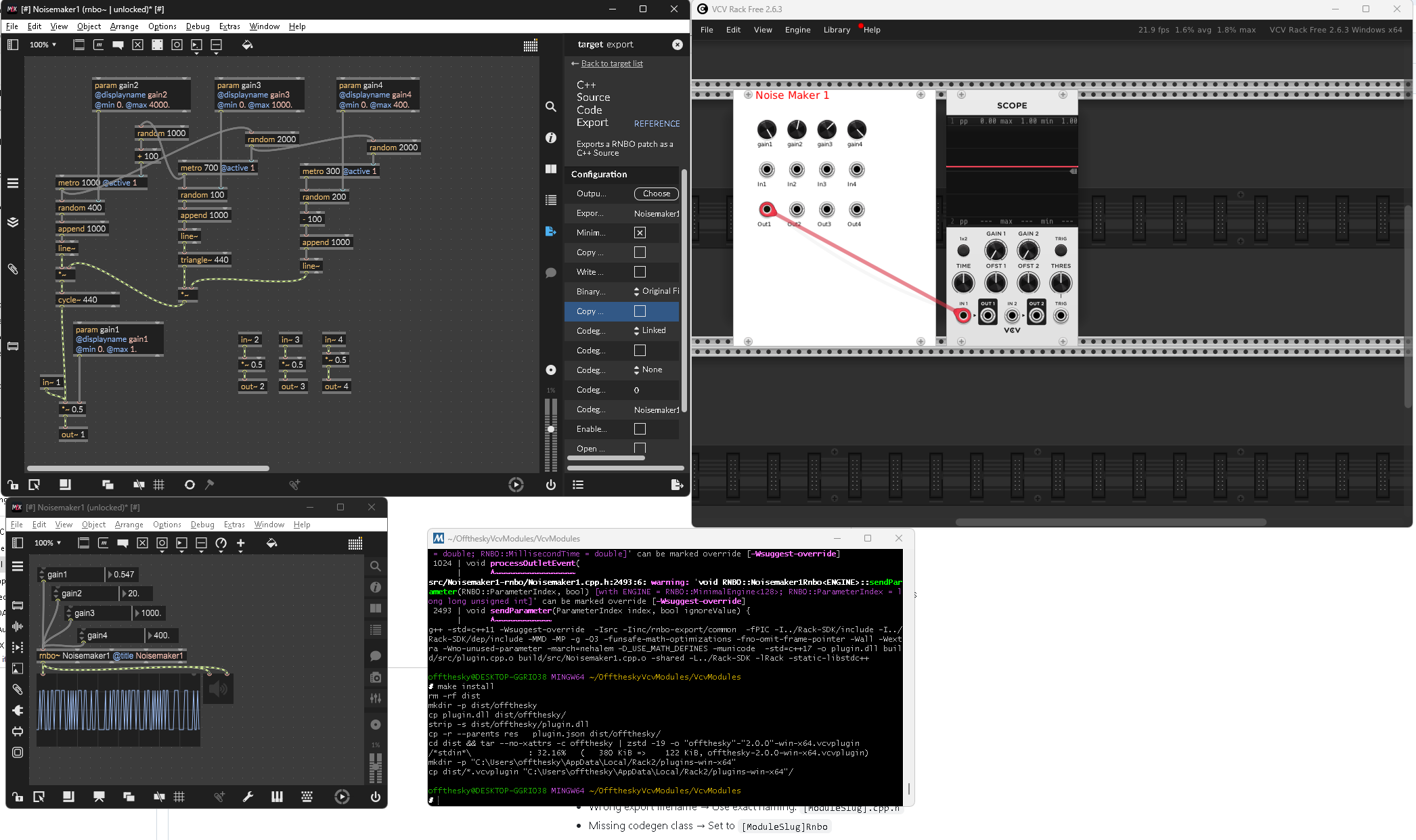
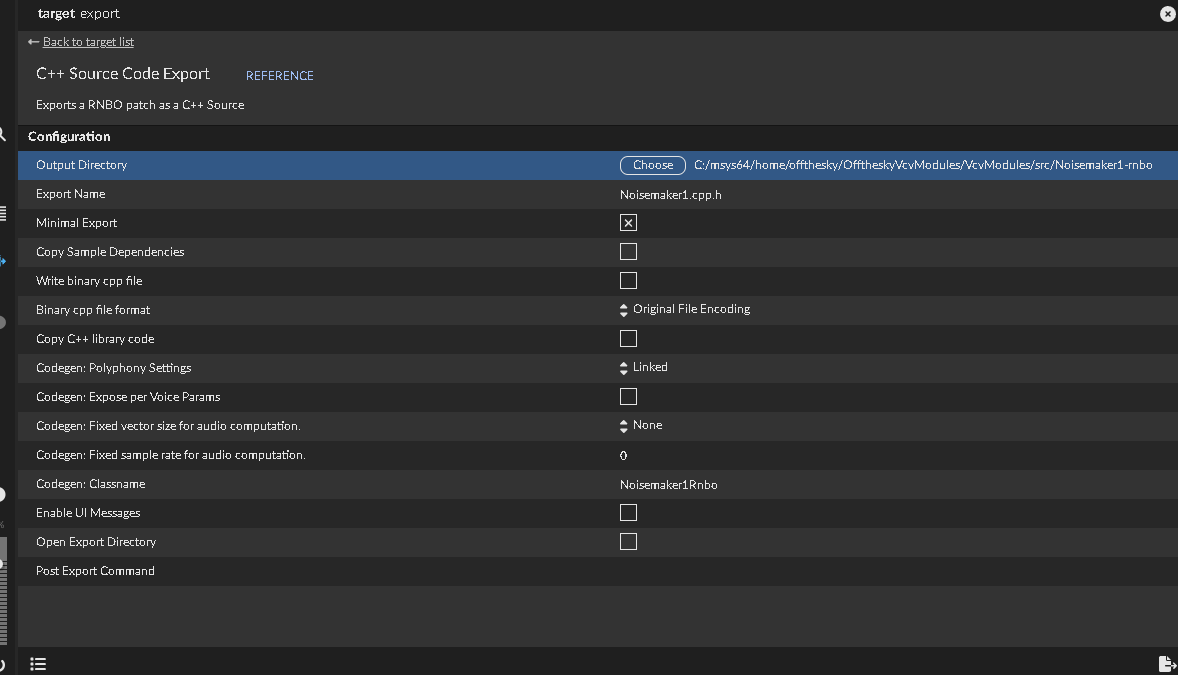
so i was able to get a module to load in vcvrack, however it’s not spitting out any audio in vcv. it emits sounds ok as expected in max. i believe i set everything up ok when exporting the c code:
i’m also noticing some odd behavior in vcv (beyond the module not emitting sound properly) now after installing the plugin. when i right click to open the browse in vcvr, often that crashes vcv. i’m guessing this has something to do with the issues with my plugin/module?
any insight is great appreciated! we’re getting close here i can feel it
edit: i notice in the video you adding new params/ins/outs, awesome! i’m curious - up to how many knobs or ins/outs can be fit inside the 20hp template?
can you post the patch here? (or somewhere I can get hold of it)
I’d like to test with your patch, just to see if it’s something else.
(so, you only have to do one update)
I did a test which was outputting noise, and it was working fine.
( * ) I was using my own build of vcvrack to test, and found an issue when using the released vcvrack version - now fixed.
quite a few, but I dont know off hand…
also you are not limited to 20hp, you can make a larger panel if you want, just has to be eurorack dimensions. the createModule script looks in res for files.
however, you will also need to create the png for mm.
this is all part making custom UIs, which I’ll cover later.

 Thanks for your work.


 ):
):