thx 
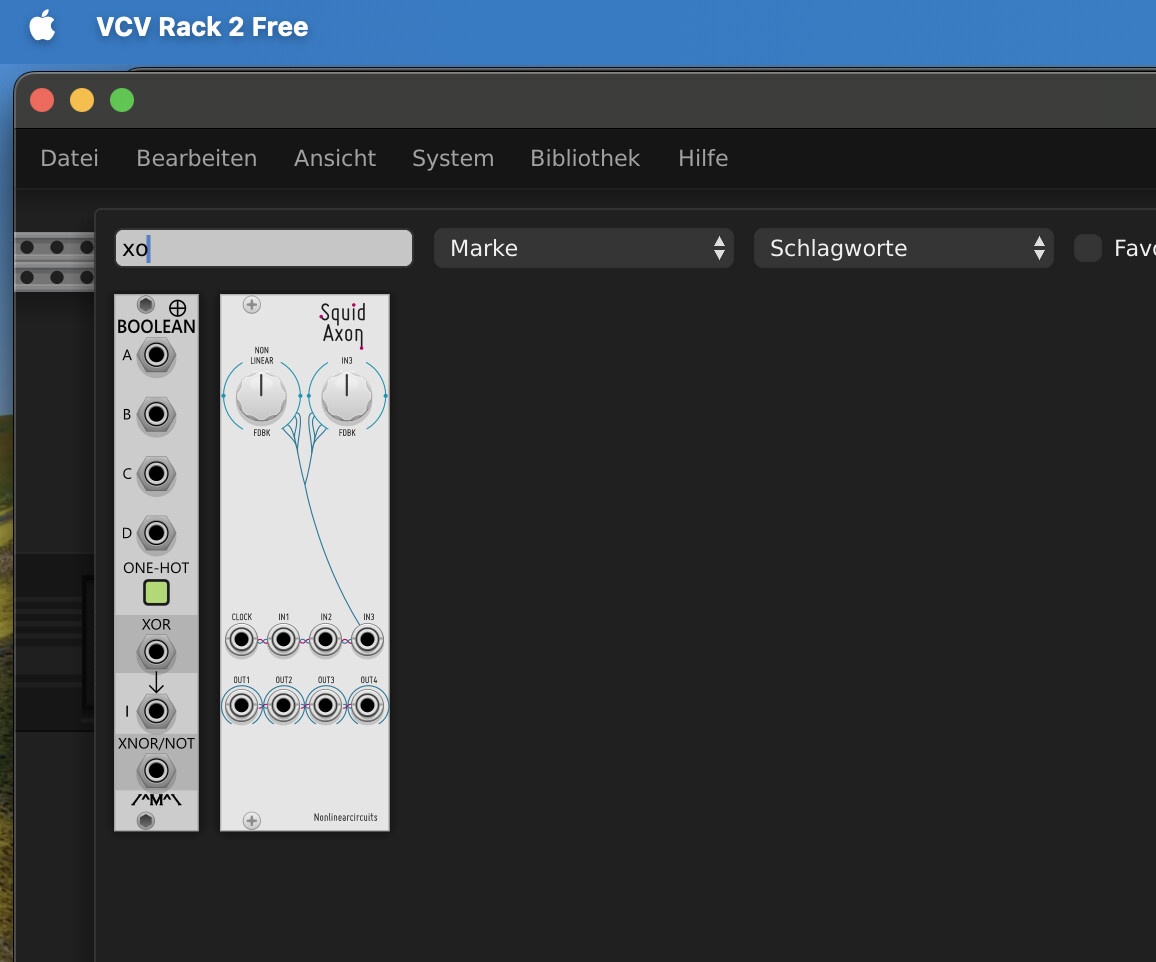
typing “xo…” in the search box: nothing appear from XOX Drums:
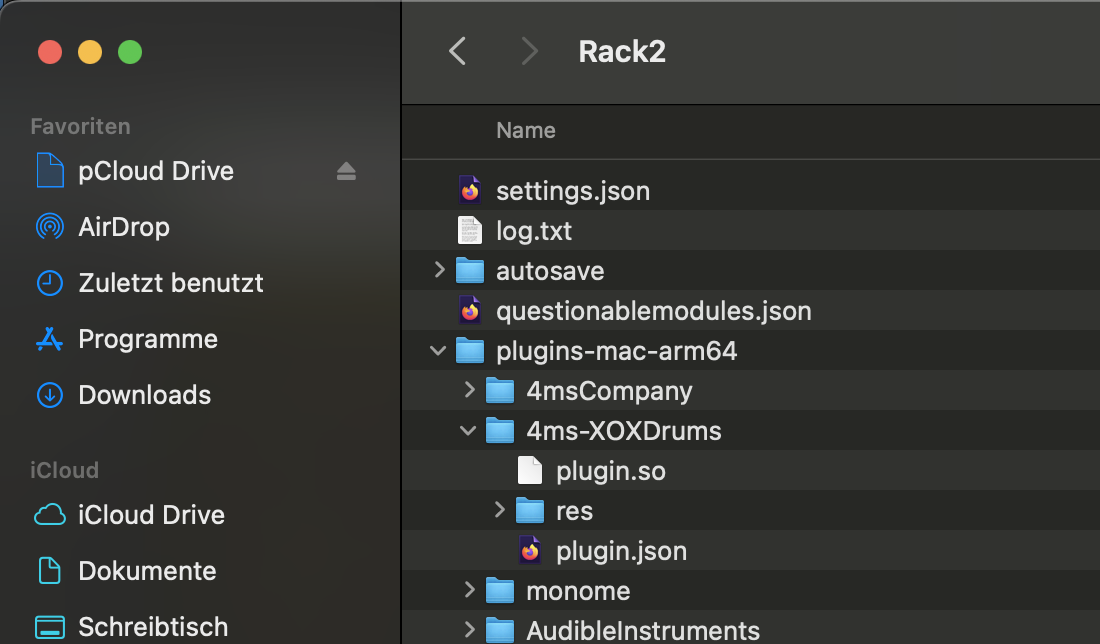
2nd check: folder “4ms-XOXDrums” is present under Rack2/plugins-mac-arm64:
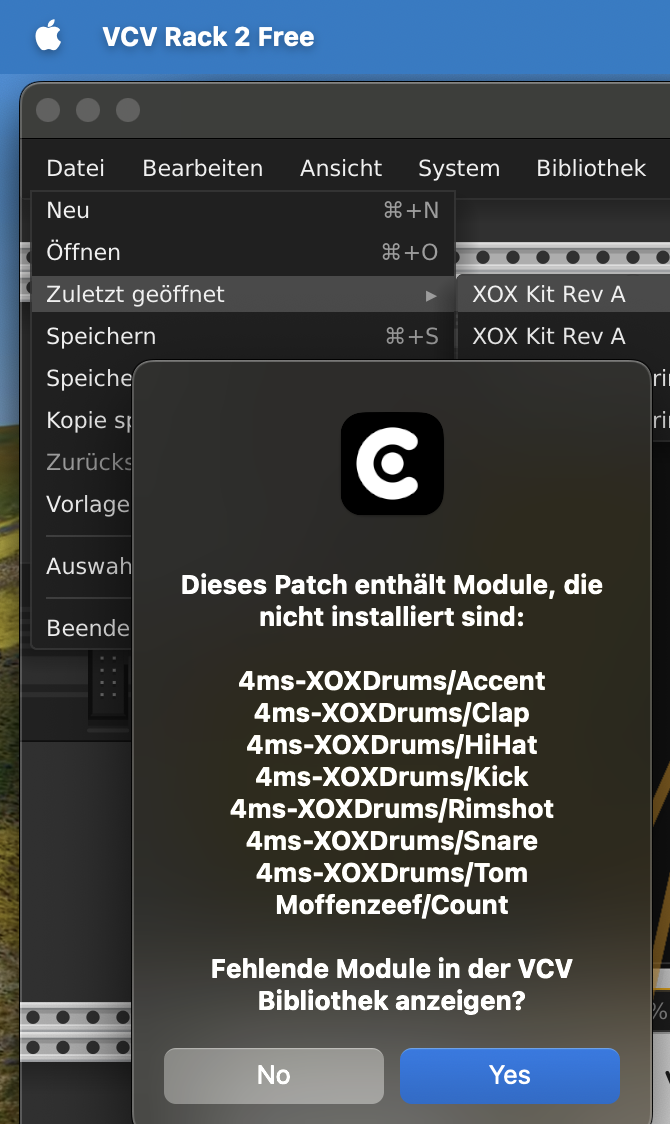
trying to load the patch:
thx
typing “xo…” in the search box: nothing appear from XOX Drums:
trying to load the patch:
Hi, I think you may have selected the wrong architecture download for the xox plugin. Assuming you are running a mac m1-m4? Then when the plugin is installed by vcvrack, you should see a .dylib file, not a .so file.
you got it! thx a lot!
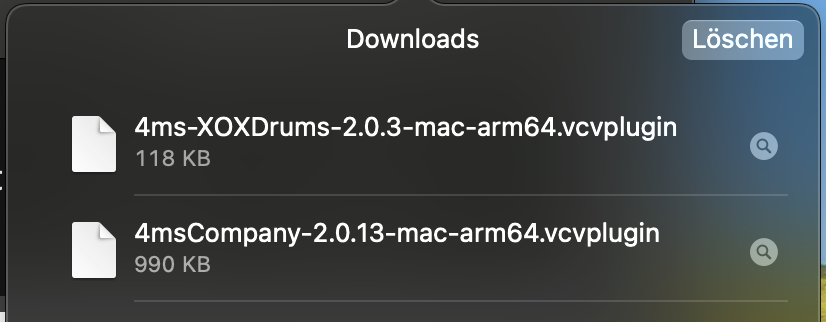
What I placed in the folder was “4ms-XOXDrums-2.0.13-mac-arm64.vcvplugin” (please don’t ask HOW I got this file) but not the …2.0.3 version. Maybe the .13 seems to be newer, but it never works. This is my download history today:
So I deleted the 4ms-XOXDrums folder again and placed the 4ms-XOXDrums-2.0.3-mac-arm64.vcvplugin file again there. After the update in VCV now → it works! 

…what a ride!
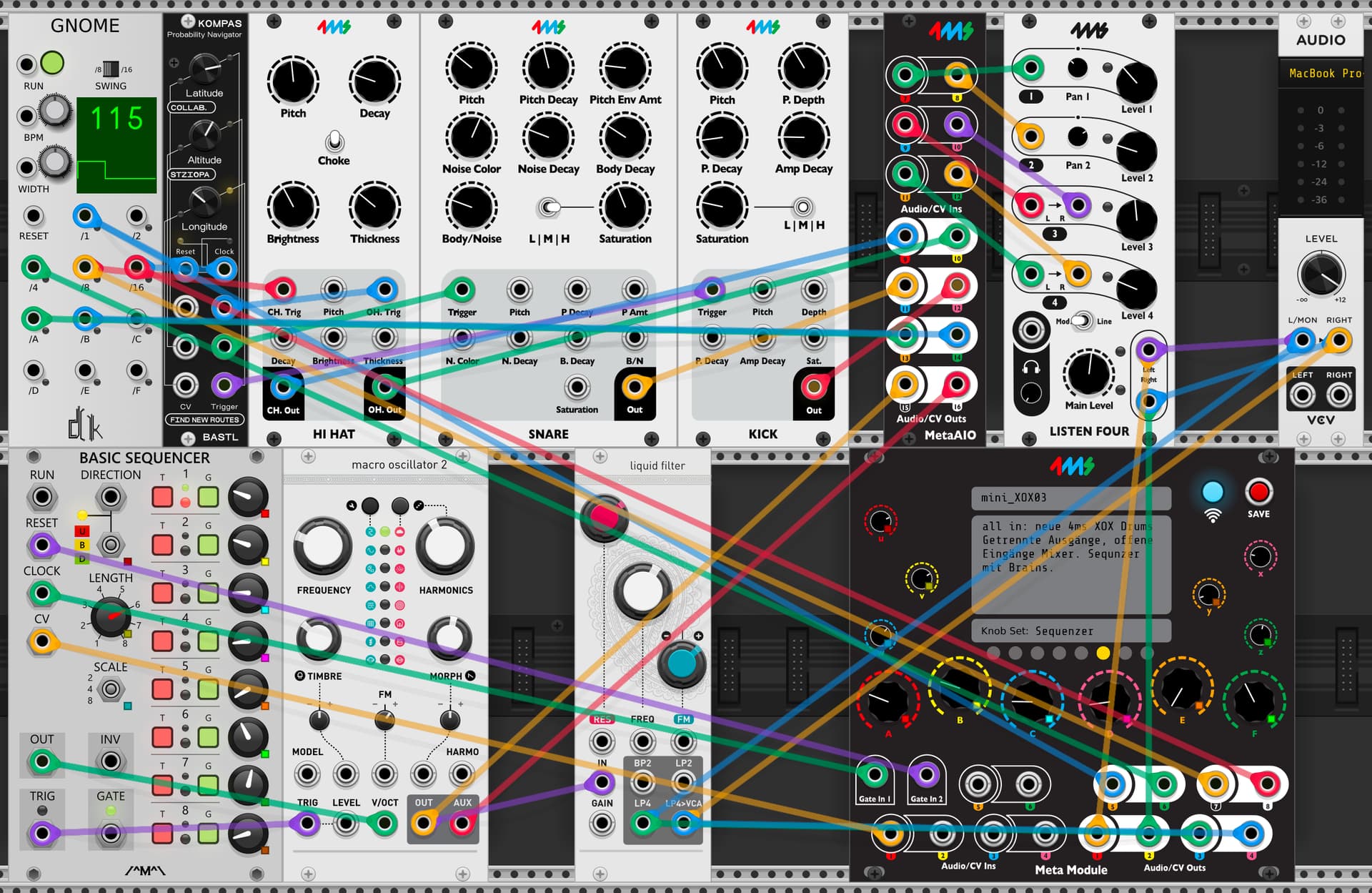
Patch inclusive clock, BASTL Kompas and sequencer plus MacroOscillator2.
mini_XOX04.yml (16.1 KB)
mini_XOX04.vcv (3.8 KB)
Use the outputs from each module:
CH: out 9
OH: out 10
SN: out 11
BD: out 12
Sync: out 13, 14
macro Oscillator2: out 15, 16
dto. after filter: out 3, 4
To use the “Listen 4” mixer on out 1, 2 in this setup (only drums) please patch this:
out 9 - in 7
out 10 - in 8
out 11 - in 9
out 12 - in 11
I have noticed that the XOX hi - hat closed has a very short decay and doesn’t sound like the hi-hat closed found of the XOX when building patches in VCV Rack. Can someone confirm this for me? In my XOX patches, the hi hat closed sound is extremely short with little tone and is acting exclusively as a choke. In VCV Rack the closed hat has a distinctive tone and sounds as you would expect it. This persists despite tweaking all hi-hat parameters. This is a wonderful collection of modules. Any suggestions or confirmation that I am not imagining things is appreciated.
Hello! I’m having issues recreating this issue and do not hear what you’re talking about. Can you please help clarify, or maybe give me some insight as to your use case?
The closed hi hat is always supposed to have the same decay time - the decay knob only controls the open hat, regardless of the state of the choke switch.
I beleive I found the issue. In VCV Rack it is possible to stack the Hi Hat Open and Closed onto one input of a mixer (say Perf4 by dBix) in VCV rack. This saves an input and allows one mapped knobbed to control the panning of both at once as an example. The audio output of the Hi Hat Open and Closed sound properly in VCVRACK
In Metamodule you can only hear the choke hi hat and not the open hi hat as it appears that stacking audio cables onto one input of a mixer isn’t supported.
The solution is to output the open and closed hi-hats into the MIXER module from the “Fundamental” library and connect its mono output to a single jack of the main mixer. (No cable stacking) The Mixer module in the Fundamental library is light on CPU and solves the issue.
Does this makes sense?
Yea it does, thanks for clarifying. Currently, MetaModule does not support this “mixing by patching” feature.
Perfect thanks for confirming. I’m sure this was documented somewhere and I missed it. Greatly appreciating this module. I’ll be sharing a patch soon that has all 8 pages x 12 knobs mapped. Amazing module .
I almost follow this but can’t get it to work. I’m having the same issue you raised. Would it be possible to send a screenshot of the fix?
Here is the exact scenario:
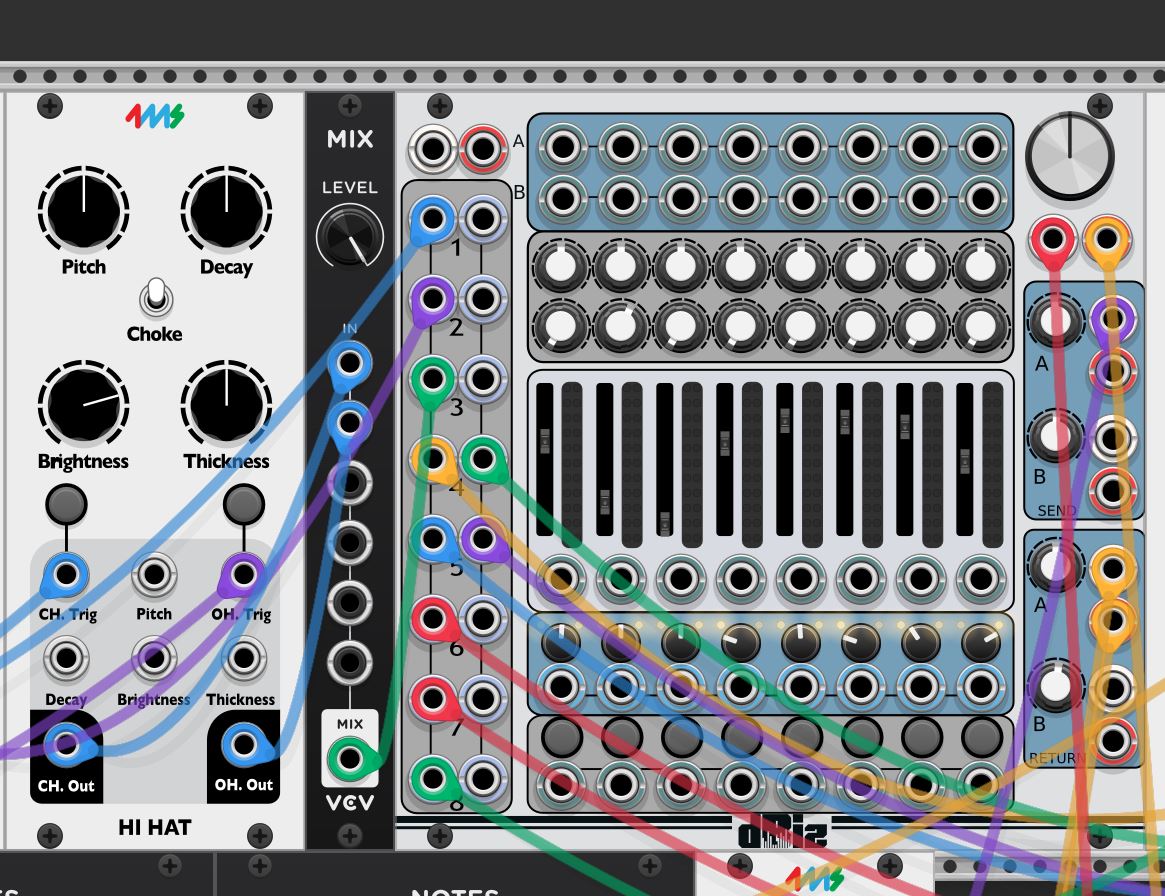
The hi-hat module has two outputs; open and closed. In VCV Rack if I wanted to send both of those signals to the left channel of channel 3 to the 8 channel mixer on the right you simply stack the cables on that mixer input (left channel 3 in this example) and everything works. Stacking cables mixes the outputs of both the open and closed hi hat and when the hats are triggered, you hear both the open and closed as expected. This does not work when you run the same patch on Metamodule because Metamodule doesn’t mix the signals on the input jack when you stack cables. You’ll only hear one of the hats not both when they are triggered.
Solution: Mix the open and closed hi hat through the MIX module first and then connect that output of the MIX module to the left input of Channel 3. Both open and closed hi hats can be heard as expected. See the attached photo below.
The MIX module is by VCV and appears in the VCV library and in the “fundamental library” on board the Metamodule. It is very light on the CPU and solves this problem.
Thank you so much for this! I was using a different Mix module.
The files for this post have been updated to automatically load the recommended sample rate and block size of 48k/512. Enjoy!