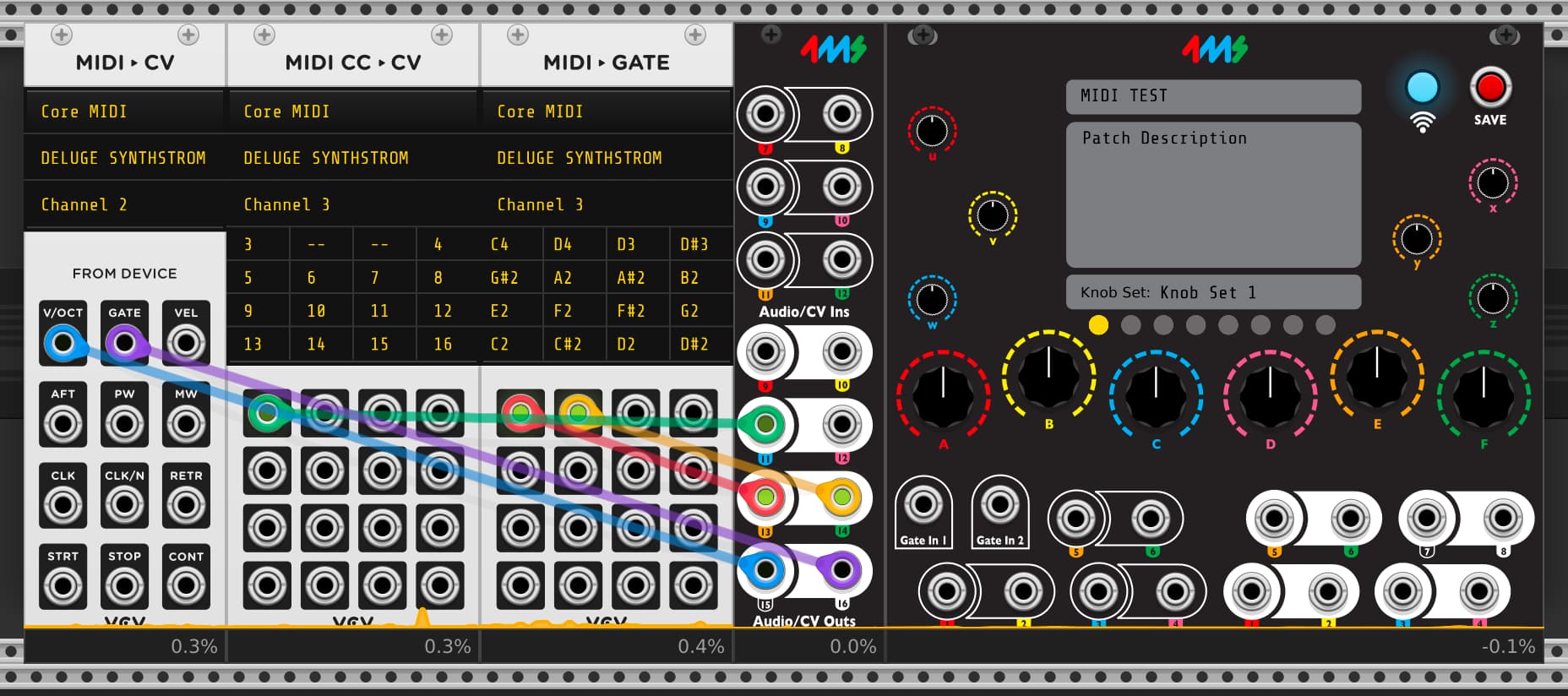
I tried for the first time to use VCV MIDI to CV / MIDI to GATE with the Deluge
I can see the midi events showing in VCV but it’s not doing anything on the output of the META (I transfered the patch via WIFI)
When I load the patch on META no modules are showed (as expected) and I made sure to launch the patch (play button)
I want to use the META as a MIDI to CV in order to :
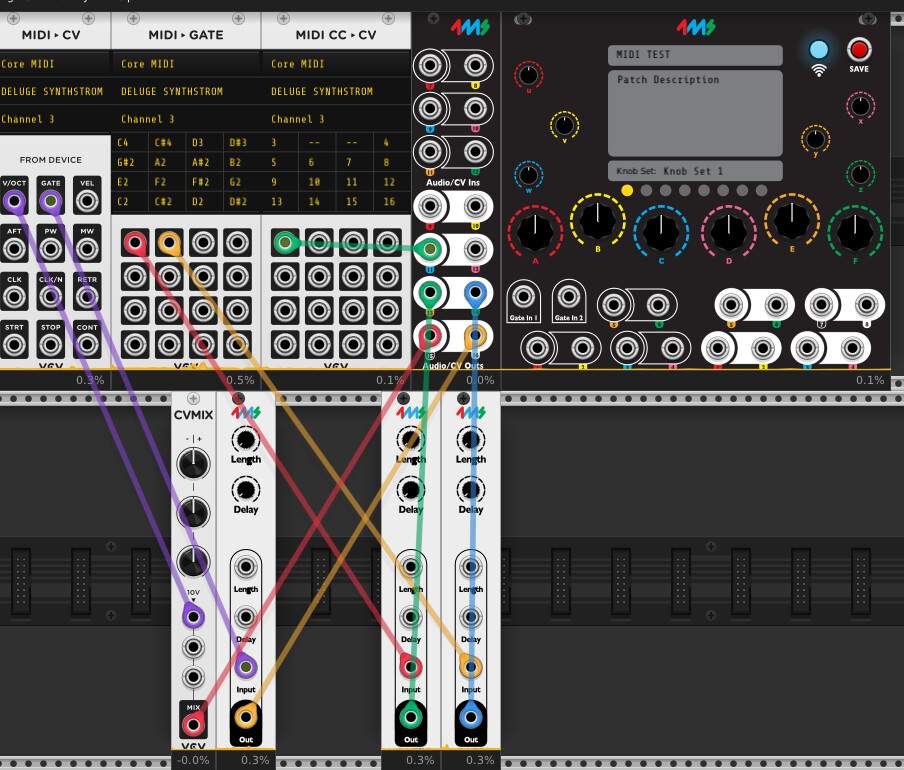
trigger SHAKMAT ARCHER’S RIG on the same midi channel (here C4 for closed Hihat and C#4 for open HiHat)
trigger MULTIGRAIN gate input and CV INPUT for V/OCT
Problem : with rackcore module I can’t set 2 midi notes of the same midi channel for 2 destinations .
So I used the MIDI to CV module from VCV directly to the outs of META but I had no gates and no CV.
So I used VCV Fundamental gate and CV Mix but with the gate module it only allows for a fixed gate length and I need to reproduce the gate length that is pressed on my midi device.
Questions :
Is it normal that direct patching from VCV MIDI to META don’t work?
what can I do to reproduce the gate length that is pressed on my midi device?
#1 (gate outs for C4 and C#4) is actually easy to set up using the built-in MIDI mappings.
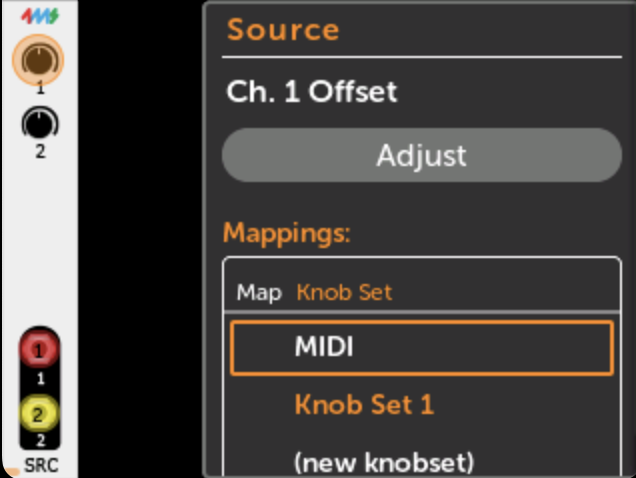
Create new patch, and then add some module that can generate a voltage from a knob. Easy one to use is the “Source” module from 4ms.
Then map Ch1 Out → Out 1, and Ch2 Out → Out 2.
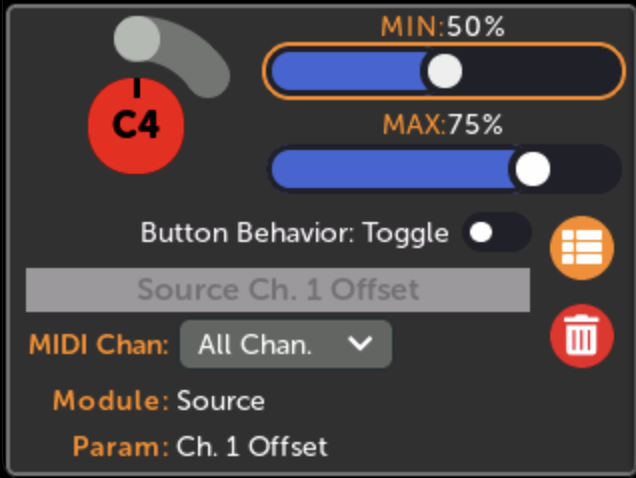
Then click the Ch1 Offset knob and under Mappings, click “MIDI”:
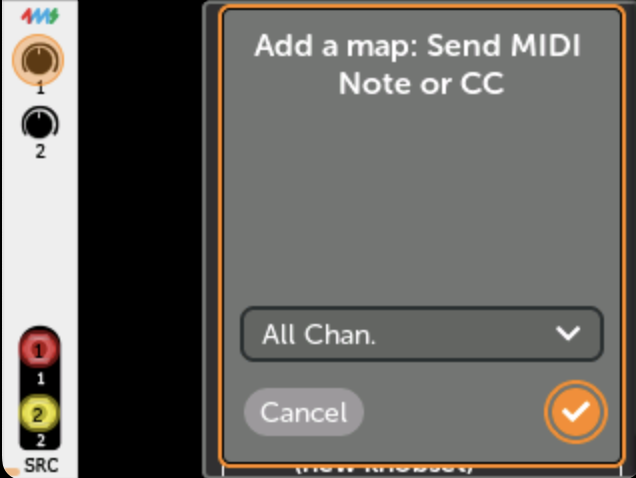
Here it will ask you to press a MIDI key. So, press C4 on your keyboard. You can pick the channel here (or All Channels) or let it auto detect.
Then repeat that for the Ch 2 Offset knob, but press C#4 this time.
That’s it! You’ll get gates out of the jacks when you press those notes.
By default the Source module goes from -10V to +10V, but gates are usually 0V to +5V or maybe 0V to +8V (or +10V). You can edit the mapping range to set the voltage you want. Click back on the “MIDI” item under the mapping menu (it will now have a C4 or C#4 tag on it). Then adjust the MIN and MAX values. For example if you want 0V to +5V then set MIN to 50% and MAX to 75%.
For #2 (gate and V/OCT outputs), you can just add a RackCore MIDI->CV module and then map V/OCT jack to Out 3, and GATE to Out 4. Then you’ll get those signals on your output jacks (it won’t interfere with the mappings you made for the Source module).
Here’s the patch I made that does all this (the channels are set to Omni, but you can modify that if you want) MIDI C4 C#4.yml (1.3 KB)