i think it’s really noticeable when the tsps are in ‘pause’ mode: if the white dot hits the end of the blue bar and you start getting underflows, you pause and hit play again, the underflows will often just start happening right away since the problematic tsp in this case, isn’t continually prebuffering while paused
Ok, I added some new stuff in TSP-25:
https://github.com/4ms/metamodule/releases/download/firmware-v2.1.0rc1-TSP-25/metamodule-firmware-v2.1.0rc1-TSP-25-firmware-assets.zip
And here is the 4ms plugin for VCV which has the module:
Biggest change is that it’s now called the “Basic Wav Player”. If you load a patch that uses the old TSP slug, it’ll know what you mean and load a BWAVP instead, but I’ll take that out eventually.
The other big change is that I changed the Position Out to be a Gate Out (playing = high).
Another feature is that it automatically translates paths from your computer to the MetaModule.
To use this feature, just put the wav files into the same directory as the patch .yml file. So if you do Load Sample… from the VCV version and select /User/home/Me/files/Samples/drumloop1.wav
then you need to put the file drumloop1.wav into the same folder as your patch yml file on the SD Card or USB drive. Then it’ll find it when you load the patch on the MetaModule.
I could add a feature that lets you right-click to select if it should include a subdirectory (so you would need to copy the Samples/ directory to the same dir as your patch file), but not sure if that’s needed or not.
1 Like
good to know! batch replacing all instances of TSP with BWAVP in all the ymls seemed to work ok
TY for the relative pathing!! was able to batch find/replace all instances of “sdc://03-samplefolder//stem01-x.wav” in my ymls down to just “stem01-x.wav” and now we’re loading the wavs no matter where i put these ymls (as long as the wav files are adjacent to the yml files). super nice quality of life update there.
hopefully we can see that with all the samplers down the road 
edit: also my previous yml TSP template, was running around 80-85% cpu, but now seems to run around 75% cpu, so not sure what was done there but much appreciating the extra headroom!!
Yes, it makes creating a patch with samples on VCV possible without having to fiddle with each sampler module on the MM. It also makes sharing patches much easier (just put the .wav files next to the .yml file)
I’m hoping we can easily integrate this with other samplers, as I added a new function the plugin API which makes translating file paths from the computer version to the MetaModule version simple (metamodule-plugin-sdk/docs/filesystem-syscalls.md at api-v2.1-dev · 4ms/metamodule-plugin-sdk · GitHub)
4 Likes
i’m running into a bug (have hit it twice now) with tsp 25 firmware, where a tsp will stop working. the blue or green bar disappears completely and the file will not play (red light remains grey). tsp1, on the far left is the culprit:
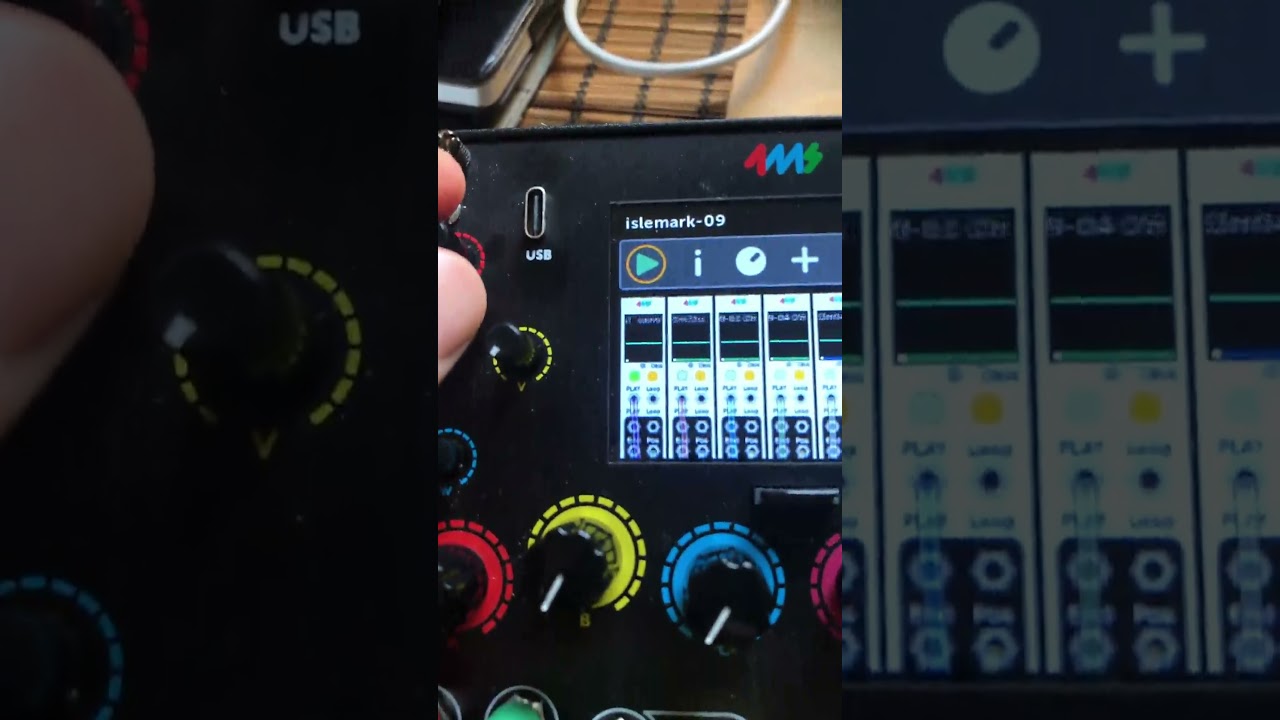
as per usually, all my tsps are set to 32mb, 0% thresh, and ‘stop’ behavior. this particular tsp has a delay of 0.
im not sure what causes this of course, but in the case of that captured video the blue bar was almost finished (the wav is just above the 32mb limit) when i triggered stop, that’s when the blue bar disappeared, and the tsp went into that broken state.
edit: ok happened again and i think i can repro: seems as if i trigger play then stop(for the first time) when the blue bar is almost full, it falls into that state. also the wav files in question are just above the 32mb buffer size.
OK I was able to make this happen after a few tries… thanks
Allright, found and fixed that issue.
Also, I switched the XY position of the EndOut and PlayGateOut jacks (old patch files that used those jacks will have them swapped)
And here’s the VCV plugin with the jacks swapped:
awesome ty for the quick fix, trying out 26!
also i wonder if, for the delay option, if at some point we might be able to see increments above 30 seconds? 45s, 1min, 1.5m, 2m (or whatever)? i’m finding that for when working with all larger wavs, that 30 seconds doesn’t seem to be enough. it seems that the delkins prioritize the most recently started streams. or at least that’s how it appears to be behaving often with this group of wavs that im currently working w that are all close to the 32mb size.
Sure, I can add more options
i’m noticing, before triggering play, if i change the max buffer size of a tsp while it’s currently preloading, it stops preloading/blue bar disappears. it won’t start preloading again until i reload the patch. obviously not a big deal but thought i’d mention anyway.
Ok, I think I know what you mean. I’ll see if I can address that easily – we’re about to release v2.1, so if it’s a quick fix it’ll make v2.1.0, otherwise I’ll put it in v2.1.1
2 Likes