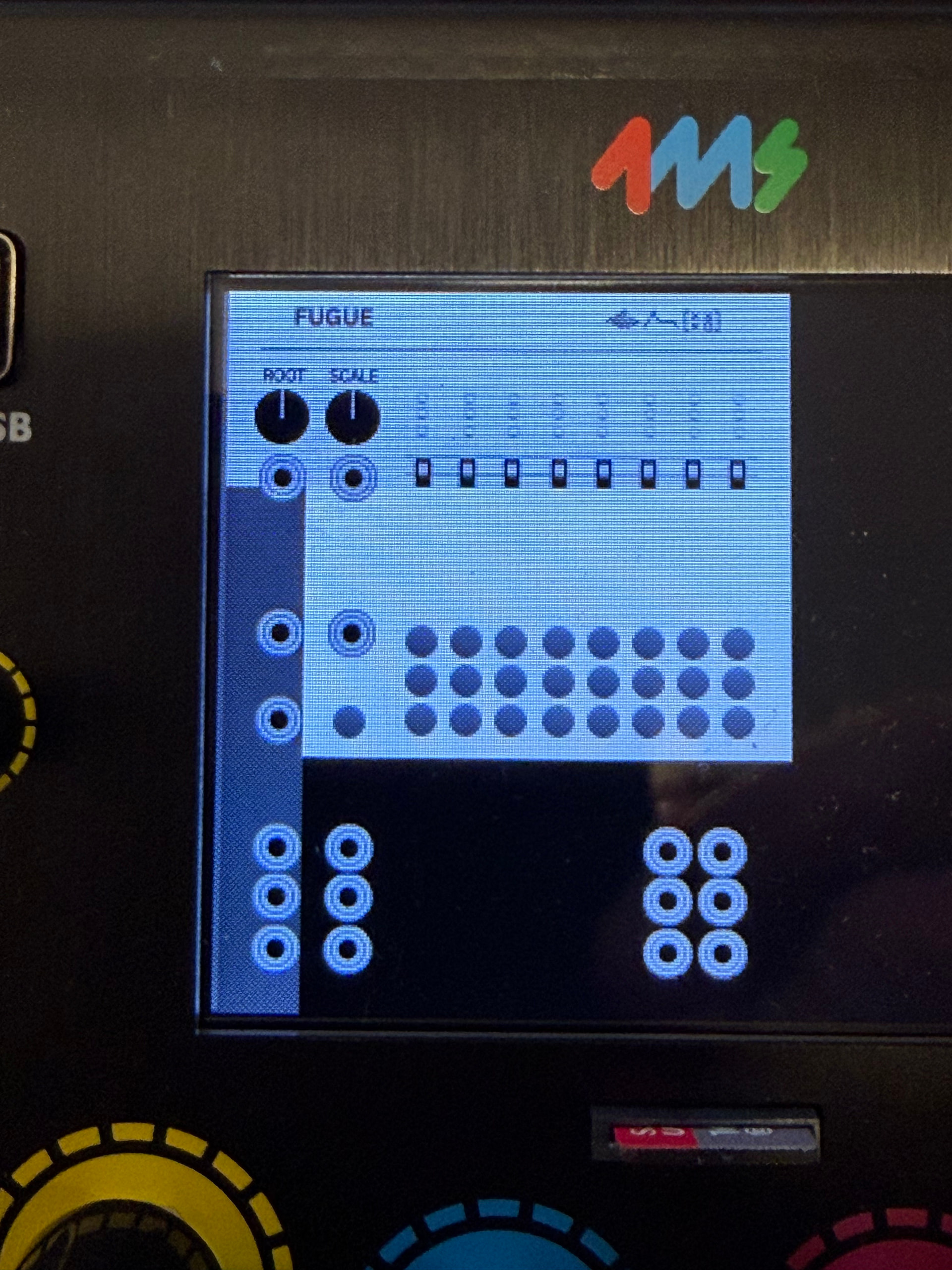
I’ve been working on porting over my SignalFunctionSet plugin and I’m finding that while most of my modules render correctly, two have glitched out faceplates. Fugue, posted below, shows the issue. I’ve converted the PNG a few times and had no result. Note that some parts of the device controls are obscured as well (sliders and pots).
Has anybody encountered this issue before?
[edit: I’ve tried conversion with Inskape, Photoshop and the script in the SDK, all similar results]
1 Like
These look cool, I’m glad you’re porting them!
I did once have a similar issue converting an svg panel from a VCV module to a png for MetaModule, but using the SvgToPng.py script fixed it, and you said you’ve tried that …
I can’t quite make out what it’s supposed to look like, so it’s hard to say. Is it a scaling issue? Or is it that part of the panel is transparent? If you can share the SVG and PNG, that would help.
First though I would run the SvgToPng.py script with the --white and the --height 240 flags. That will remove the two most common issues I came across when porting hundreds of VCV SVGs to MM PNGs: transparency issues, and scaling issues.
metamodule-plugin-sdk/scripts/SvgToPng.py --input res/Fugue.svg --output assets/ --white --height 240
The other thing to check is to see if you have any layers in the SVG that are supposed to be hidden but are showing up in the PNG, or vice-versa. You can use the --layer option to specify a layer by name, but you might also want to open the SVG, make all objects and sub-objects visible and then delete anything that you don’t want to be visible in the PNG.
1 Like
Thanks Dan, appreciate it! I think I have it sorted out, will test again and reach out with more detail if my fix doesn’t address it.
Just to close the books, I was able to get rid of these issues, things are working well now. For one module, it turned out to be component sizing doing some weird stuff. Thanks again for the help.
1 Like
I’m porting a VCV Rack plugin to MetaModule using the rack adaptor. I want to use a custom larger knob PNG for one specific parameter (the Octave knob in my Drift module). I’ve tried placing a custom PNG in my assets folder with the same name as RoundHugeBlackKnob.png, but the rack-lib version is used instead. What’s the correct way to use a custom sized knob PNG when using the VCV rack adaptor?
You’ll need to update the path of the widget’s assets to point to the new file you made. There’s no automatic overriding of assets: each plugin and built-in has its own filesystem space.
If you’re seeing the rack-lib png, then I’m going to guess that your knob widget types are the rack-lib widgets? You would need to create your own widget and give it the path to your preferred PNG file. Usually you can do this by just copying the rack widget class from componentlibrary.hpp, giving the new class a custom name, and changing the asset::system() calls to asset::plugin(). Then use that custom class when you instantiate your knob widgets.
I wasn’t able to see your code for some reason the github link from your other thread is not working right now, so if you’re already using a custom widget class and pointing the svg loads to your plugin assets (not the system assets) then I could take a look and see what else could be the issue.
Thanks for the detailed explanation! Yes, I was using the rack-lib widgets. I’ll create a custom class by copying from componentlibrary.hpp, rename it and switch asset::system() to asset::plugin() pointing to my own PNG files. Will give it a try and report back!
Hi Dan, I tried implementing the custom class as suggested:
struct GainKnobLarge : RoundKnob {
    GainKnobLarge() {
        setSvg(Svg::load(asset::plugin(pluginInstance, "res/GainKnob.png")));
        bg->setSvg(Svg::load(asset::plugin(pluginInstance, "res/GainKnob.png")));
        shadow->opacity = 0.f;
    }
};
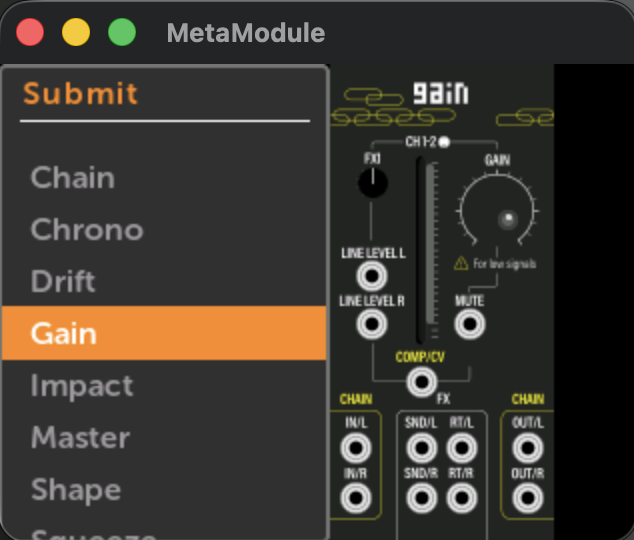
The knob shows up in the simulator but renders very small, much smaller than a standard RoundLargeBlackKnob. The PNG is 70x70px with transparency.
(See gain)
Is there something specific about how MetaModule determines knob render size? Do I need to set a specific box size or scale somewhere in the widget class?
Also, is there any documentation or example plugin that shows how to implement custom knob images correctly for MetaModule? I couldn’t find anything specific in the SDK docs.
That little knob is actually the placeholder knob when the PNG can’t be found.
One glitch about the simulator is that it doesn’t rebuild the assets image when files inside an external plugin’s assets/ dir change. So try this to do a clean build of the simulator:
cd simulator
rm -r build/assets*
make run
You’ll need to repeat the rm -r build/assets* anytime the assets change.
The other thing, is just to double-check: the png is directly inside the assets/ dir, right? Not inside a directory called res/?
1 Like