could be nice to cotrol hold function as the noise plethora bank/ program switch, and multiple choices as if there a switcher with Hp,Lp,Bp selection or left,middle,rigth option
The noise plethora bank button should still work with MetaButtons in it’s default configuration of “gate behavior.” If you’re having issues with that feature not working when you hold a MetaButton down please let me know!
As far as multi state switches, MetaButtons is currently only configured to select between two of the values. Adjusting minimum and maximum on MetaButtons allows you to select which two states are being flipped. Currently it’s easier to use a knob to select multiple state positions. @danngreen can better elaborate on the reasons why getting rising edge buttons to iterate through a list is proving to be a design challenge currently.
We are exploring this option though, thanks for reaching out!
Yeah, we’ll implement that sort of “incremental” selection eventually. It’ll also be useful for 3-position switches and other “snapped” controls. Basically pressing the button will move the mapped parameter to the next state. The main challenge is getting a good definition of “next state” that works for all kinds of controls. We have an idea how to do it, just a matter of trying it and seeing if it works enough of the time to be useful.
2 Likes
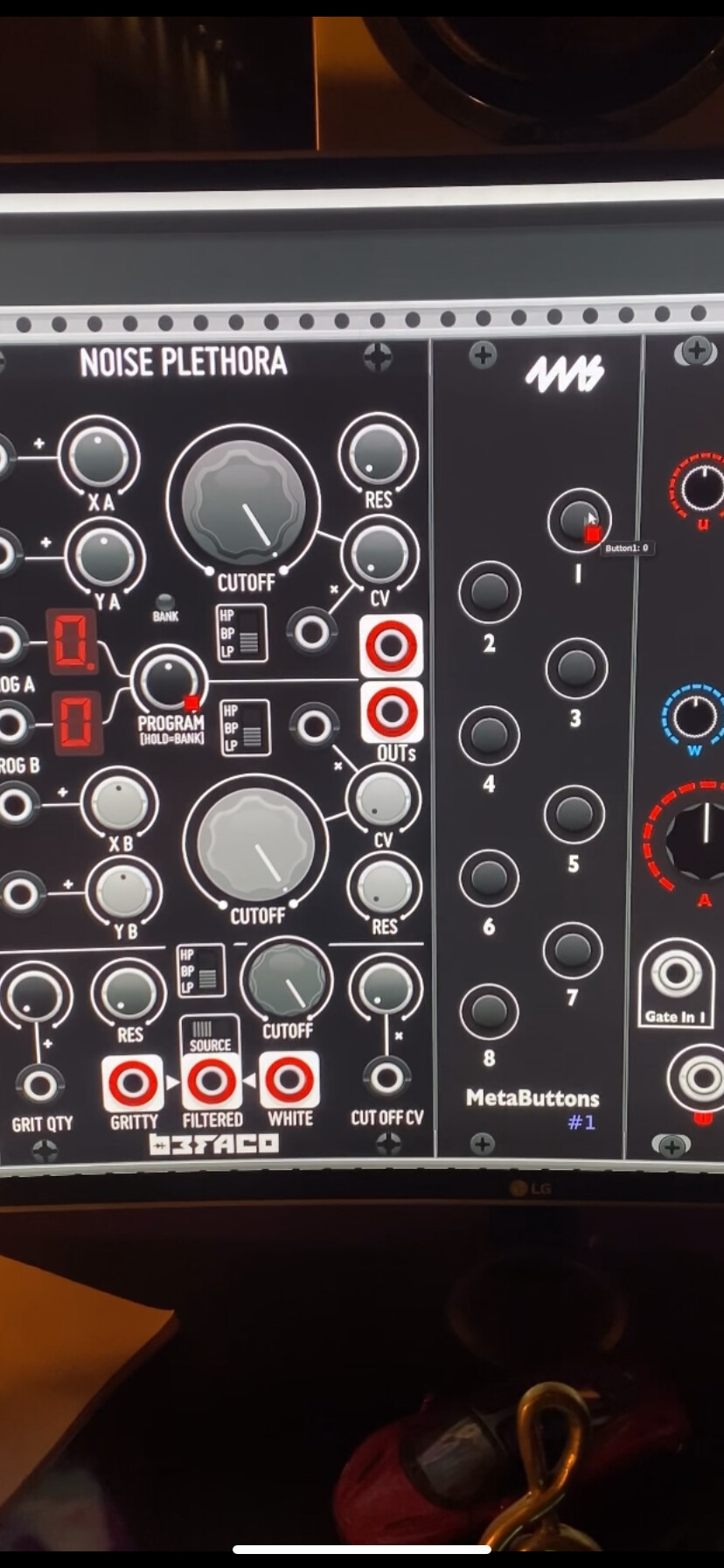
I Can’t attach A video, but I am mapping it as I saw at the picture, I press the button with the mouse and it’s doing nothing.
I am waiting for it!!! It will be very helpful and very useful for my workflow! Thank you!!!
1 Like
The graphic design on that panel is actually a little misleading, as it was originally a hardware product that they cloned for VCV rack.The “program” button you’re referring to is really an encoder that also has a pushbutton in it when you push it. On VCV rack, Befaco made this a knob and replaced the “click” on the encoder with a mouse right click.
In terms of the VCV implementation of MetaButtons, mapping this parameter is also a bit misleading, however in MetaModule it actually makes a lot more sense:
The MetaModule version of this plugin has these individual features broken out in the context menu, which can be mapped to MetaButtons by holding down the encoder over the menu item and pushing the desired button.
They are:
-Program/bank selection (the knob part of the encoder)
-Switch Program/Bank for current section (This is the hold feature you’re talking about, just broken out to a separate button)
-Switch Top/Bottom (pushing the encoder once, broken out to a separate button Prog A vs Prog B)
hope this helps!
Ross
That helps me!!! Thank you very much!!!
All we waiting for now are the multiple choices from a switcher which has three and more parameters via metabutton, and of course new updates in general for this fantastic and so valuable module !
Thank you
Best regards
1 Like
Cool I was going to ask for a way to work with 3-position switches. I got the button expander a couple days ago and was putting it to use.