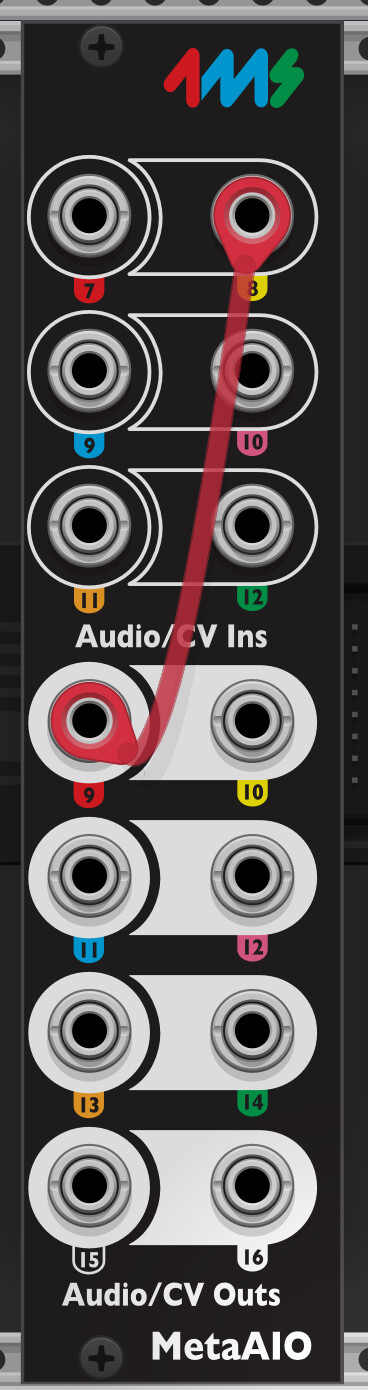
I’m just experimenting now and trying to analyze what’s going on with my expander using the current firmware.
From the start, without loading a patch, the CV JACK Calibration system test shows “CHECK”. The Meta inputs work, but the Expander inputs show 0.005V and are all non-functional.
I load a patch with only Alg.Osc, without routing to the Expander inputs or outputs. The Expander is non-functional.
Now, after a reboot ( in ReBoot Menue ! ), incoming voltages are suddenly displayed at the Expander.
Now, I load a “Rampage” patch, which previously didn’t work with the Expander.
The Expander continues to function as it should, at least the inputs and outputs assigned in the patch.
Now switch Off/On the case Expander works, load my patch manually (not autoload) Expander works.
A system reboot seems to be a solution for patches with which the Expander previously didn’t work.
OK the “?” and the crash are worrisome bugs, I’m looking into that.
The fact that a reboot works is a clue – that supports the theory this is caused by a fault in the I2C bus that the system has trouble recovering from. I’ll also work getting the system to recover from an error on the I2C bus without needing a restart (it’s supposed to restart the I2C peripheral when it detects too many errors, but perhaps something is not happening fully there)
I looked into it today, and this turned out to be an unrelated bug (nothing to do with the Expander).
Clicking on any MIDI->Panel (main module or expander) mapping would crash. Also, MIDI->Audio Expander mappings would display as a “?”. Both these issues are fixed now, and will appear in the v2.1.13 firmware update.
I made the I2C bus a little more robust when recovering from errors (from noise or interference in the cable). I’m not able to get my own unit to fail except by physically unplugging the cable. So hopefully this works for you:
I had to quickly replace version 2.1.13 with 2.1.12. As soon as I unplugged and replugged the patch cable from the expander, I had to reboot it to bring it back to life.
Oddly enough, I just noticed the same behavior with version 2.1.12.
It doesn’t matter whether I enable or disable the patch.
It only occurred after the third time unplugging and plugging in the patch cable, but that seems to be the cause.
Damn, what’s going on?
Reboot only helps every time to reactivate my expander.
With the first file exist this bug, but at the moment it works with the second file. Could it be related to the number of assigned expander inputs or outputs?
I just tested this again with the Muxlicer bug project. I can disable all input and output assignments on the expander except for one. Despite this, the expander stops working after patching a cable in and out. A reboot fixes it. All patch points on the Meta module itself are occupied except for In5.
All of this is with only one module, the Muxlicer.
Ok, you’re saying it froze when you unplugged and replugged in v2.1.13, and then did it again in v2.1.12?
So seems like the things I did in v2.1.13 didn’t change anything. Oh well.
I wonder if it’s something to do with what’s on the other side of the cable. Can you see if it ever fails in that exact way if you plug from the Expander into itself (that is, Expander Out jack to Expander In jack)? That could eliminate a whole class of issues.
Following setup ( Muxlicer ExpBug Project ) with the 2.1.12 firmware.
PlugIn run Exp Out 9 and 10 (!) to DATA. Expanion still in work also after multiple (more as 10 to 15) re.-connect out 9.
Now not connect Exp.Out 10 to Data. 3times re.-connect ExpOut 9…Expander stop to work.
Now connect multiple expander I/O to each other don’t let the Expander fall out.
As a result, I can say that if I connect a single expander output to the DATA, the expander fails after 2-3 disconnect and reconnect cycles. Firmware 2.1.12 , seems not to be others with the 2.1.13 .
But when you patch Expander to Data (or other modules), then there are problems sometimes.
Right? We’ve gotten other reports of this when patching from the Expander to modules in a different case (which might involve grounding issues or something of that sort)
Yes, no Problems from Expander to Meta or within the Expander.
The fact that this problem doesn’t seem to occur with two connections to the Data module, which is also installed in a different rack, could be the cause.
Although all racks are connected to the same power circuit. The Data module is in a RackBrute, and the Meta module, along with other modules, is in a 104-inch rack with a Behringer CP1A.
Should I install the Data module in there as well, for testing purposes?
@danngreen, I just tested the new 2.1.13 firmware with the patch I previously uploaded. The MIDI connections now look correct when I inspect them from the knob page and clicking doesn’t cause a freeze, but now there’s no actual CV or gates at all from any outputs on either the MM or the expander. Waveforms from the Even VCO are present on the expander as set up in the same patch. Reverting back to v2.1.12 the MIDI outputs on the MM itself resumed working.
i am facing same kind of problem. I notice that i returned my module for repair, but still got problems. Like you, when i plug/unplug a jack on the expander or !!! On another module including the metamodule, the expander crash and i need to on/off my rack to bring it to life. And more, just make a contact between jack and module input without pluging it completely make the same problem —> it is an electrical problem !!! No problems with inputs/outputs on metamodule or button expander. Just audio expander is weird.
I had the same issue with my expander when I first got it. My issue was power related. The module was not getting enough power. Since putting the modules into a bigger case with more power (nearly 10 months ago), it has been working great and I have not had any issues!