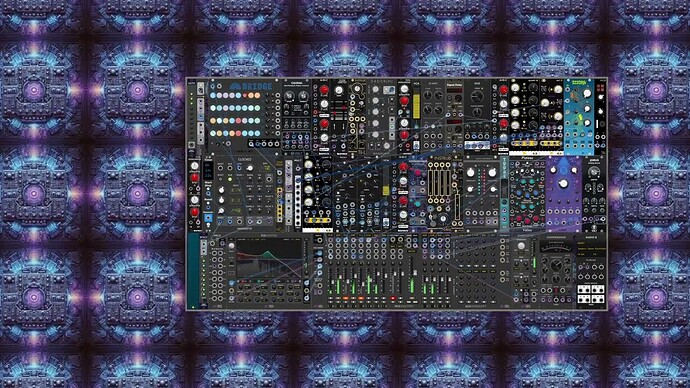
Unfortunately it seems the win-x64 version is crashing VCV. I’m running VCV Rack Pro 2.6.6 on Windows 10. I copied the build into the plugins-win-x64 folder and VCV immediately crashes on restart, if VCV is reopening with an instance of Mom Jeans already in the patch. If I choose the VCV startup option to clear the patch and start empty, it opens an empty rack, but attempting to access the library causes it to crash immediately. I’ve tried a few times to be sure with no success. Any suggestions? Thanks!
Unsubscribe from CuteLab plugin in VCV library
Remove CuteLab directory
Restart VCV to make sure it’s gone and everything is fine.
Re-subscribe to plugin from VCV library.
Restart VCV, reinstall plugin from Library update menu, restart. Mom Jeans v1.2 is installed from library and working fine at this point.
Recopy your build to plugins-win-x64
Restart VCV, checking in Explorer that your plugin file has disappeared and the new CuteLab folder with files is created
Crash like so…
[6.109 info src/engine/Engine.cpp:1463 fromJson] Creating module cutelab Mom Jeans
[6.886 fatal adapters/standalone.cpp:49 fatalSignalHandler] Fatal signal 11. Stack trace:
20:  0x0
19:  0x0
18: _C_specific_handler 0x7ff9f6d57f60
17: _chkstk 0x7ff9f8932850
16: RtlRaiseException 0x7ff9f88e20d0
15: KiUserExceptionDispatcher 0x7ff9f8931450
14: memset 0x7ff9f89346c0
13: RtlFreeHeap 0x7ff9f88b4760
12: free_base 0x7ff9f615f040
11: ZN12MomJeansBaseC2Ev 0x7ff97afd2da0
10: ZZN4rack11createModelI8MomJeans15Mom_jeansWidgetEEPNS_6plugin5ModelENSt7__cxx1112basic_stringIcSt11char_traitsIcESaIcEEEEN6TModel12createModuleEv 0x7ff97afe44e0
9: ZN4rack6engine6Engine8fromJsonEP6json_t 0x7ff967f38700
8: ZN4rack5patch7Manager8fromJsonEP6json_t 0x7ff967eca9c0
7: ZN4rack5patch7Manager12loadAutosaveEv 0x7ff967ecc4e0
6: ZN4rack5patch7Manager6launchENSt7__cxx1112basic_stringIcSt11char_traitsIcESaIcEEE 0x7ff967ecdb10
5: ZN4rack5patch7Manager6launchENSt7__cxx1112basic_stringIcSt11char_traitsIcESaIcEEE 0x7ff967ecdb10
4: ZN4rack5patch7Manager6launchENSt7__cxx1112basic_stringIcSt11char_traitsIcESaIcEEE 0x7ff967ecdb10
3: ZN4rack5patch7Manager6launchENSt7__cxx1112basic_stringIcSt11char_traitsIcESaIcEEE 0x7ff967ecdb10
2: ZN4rack5patch7Manager6launchENSt7__cxx1112basic_stringIcSt11char_traitsIcESaIcEEE 0x7ff967ecdb10
1: BaseThreadInitThunk 0x7ff9f68c7360
0: RtlUserThreadStart 0x7ff9f88dcc70
The most common cause of a plugin crashing Rack
The module browser instantiates a moduleWidget, but it does not instantiate a Module to go with it. If scrolling the browser down to your module is enough to crash rack, the problem is almost certainly that your widget is trying to refer to the...
Thanks Paul. That gave me an idea of another test which resulted in some different lines in the trace.
Started with VCV and Mom Jeans from the library (v1.2) all working fine, but no instance of Mom Jeans loaded into the rack.
Dropped the dev build CuteLab-2.1.0-win-x64.vcvplugin into plugins-win-x64
Restarted VCV
VCV opens fine because Mom Jeans is not yet in the rack.
Open the module browser and it crashes with this slightly different trace.
Hopefully this adds useful info.
[21.996 info src/app/Browser.cpp:207 createPreview] Creating module widget cutelab Mom Jeans
[21.998 info src/window/Svg.cpp:28 loadFile] Loaded SVG C:/Users/Gabe/AppData/Local/Rack2/plugins-win-x64/CuteLab/res/mom-jeans.svg
[22.742 fatal adapters/standalone.cpp:49 fatalSignalHandler] Fatal signal 11. Stack trace:
34:  0x0
33:  0x0
32: _C_specific_handler 0x7ff9f6d57f60
31: _chkstk 0x7ff9f8932850
30: RtlRaiseException 0x7ff9f88e20d0
29: KiUserExceptionDispatcher 0x7ff9f8931450
28: memset 0x7ff9f89346c0
27: RtlFreeHeap 0x7ff9f88b4760
26: free_base 0x7ff9f615f040
25: ZN15Mom_jeansWidgetC1EP12MomJeansBase 0x7ff97afd4db0
24: ZZN4rack11createModelI8MomJeans15Mom_jeansWidgetEEPNS_6plugin5ModelENSt7__cxx1112basic_stringIcSt11char_traitsIcESaIcEEEEN6TModel18createModuleWidgetEPNS_6engine6ModuleE 0x7ff97afe4540
23: ZN4rack3app7browser8ModelBox4drawERKNS_6widget6Widget8DrawArgsE 0x7ff970247600
22: ZN4rack6widget6Widget9drawChildEPS1_RKNS1_8DrawArgsEi 0x7ff96fb2df20
21: ZN4rack6widget6Widget4drawERKNS1_8DrawArgsE 0x7ff96fb2e0d0
20: ZN4rack6widget6Widget9drawChildEPS1_RKNS1_8DrawArgsEi 0x7ff96fb2df20
19: ZN4rack6widget6Widget4drawERKNS1_8DrawArgsE 0x7ff96fb2e0d0
18: ZN4rack6widget6Widget9drawChildEPS1_RKNS1_8DrawArgsEi 0x7ff96fb2df20
17: ZN4rack6widget6Widget4drawERKNS1_8DrawArgsE 0x7ff96fb2e0d0
16: ZN4rack6widget6Widget9drawChildEPS1_RKNS1_8DrawArgsEi 0x7ff96fb2df20
15: ZN4rack6widget6Widget4drawERKNS1_8DrawArgsE 0x7ff96fb2e0d0
14: ZN4rack2ui12ScrollWidget4drawERKNS_6widget6Widget8DrawArgsE 0x7ff96fb25ec0
13: ZN4rack6widget6Widget9drawChildEPS1_RKNS1_8DrawArgsEi 0x7ff96fb2df20
12: ZN4rack6widget6Widget4drawERKNS1_8DrawArgsE 0x7ff96fb2e0d0
11: ZN4rack6widget6Widget9drawChildEPS1_RKNS1_8DrawArgsEi 0x7ff96fb2df20
10: ZN4rack6widget6Widget4drawERKNS1_8DrawArgsE 0x7ff96fb2e0d0
9: ZN4rack6widget6Widget9drawChildEPS1_RKNS1_8DrawArgsEi 0x7ff96fb2df20
8: ZN4rack6widget6Widget4drawERKNS1_8DrawArgsE 0x7ff96fb2e0d0
7: ZN4rack6window6Window4stepEv 0x7ff96fb33280
6: ZN4rack6window6Window3runEv 0x7ff96fb33db0
5: ZN4rack6window6Window3runEv 0x7ff96fb33db0
4: ZN4rack6window6Window3runEv 0x7ff96fb33db0
3: ZN4rack6window6Window3runEv 0x7ff96fb33db0
2: ZN4rack6window6Window3runEv 0x7ff96fb33db0
1: BaseThreadInitThunk 0x7ff9f68c7360
0: RtlUserThreadStart 0x7ff9f88dcc70
Thanks @CosmoProductions ! I can’t test the Windows builds so I’m flying a little blind, the crash traces help a lot.
Here’s a new version that I hope is fixed: Windows-bugfix-build .
Hi Gabe. Nope that fix didn’t work. I tried the same repro as the last I listed above. After loading this new plugin, VCV crashes when I tried to open the module browser. The stack trace is the same as above.
There’s a recent discussion about minRackVersion on the VCV. I don’t see how that could be the cause since I’m using the latest version, VCV Pro 2.6.6. Just thought it might be worth mentioning since it does relate to the module browser. Thanks.
I think it would be a good idea to add the minRackVersion key to the manifest, e.g. "minRackVersion": "2.6.0" to avoid this in the future. Described here in the manual, it’s designed to express the minimum Rack version that the plugin needs, and I...
Thanks
@CosmoProductions Ah sorry, build issue. Try this one .
Oh yeah! That version is working for me and sounding great in VCV Pro 2.6.6 on Windows 10. In VCV it sounds like what I hear out of MetaModule. Thank you!
Great! Could you do me a favor and test the one from the Github release ? It’s got the build fix that is working for you, but it’s different from the one you just tried, so I want to make sure it works.
1 Like
I’m running CPU tests on the v2.1.0 MetaModule release right now. If it passes, it should make it into today/tomorrow’s plugin release.
1 Like
Confirming that yes, that build is working fine for me. No sonic change as far as I can tell. Cheers!
1 Like
Awesome, thanks! Ok this release is all set then.
Finally posted one of my tests with your VCV build. Sounds great in MM too!
VIDEO
1 Like