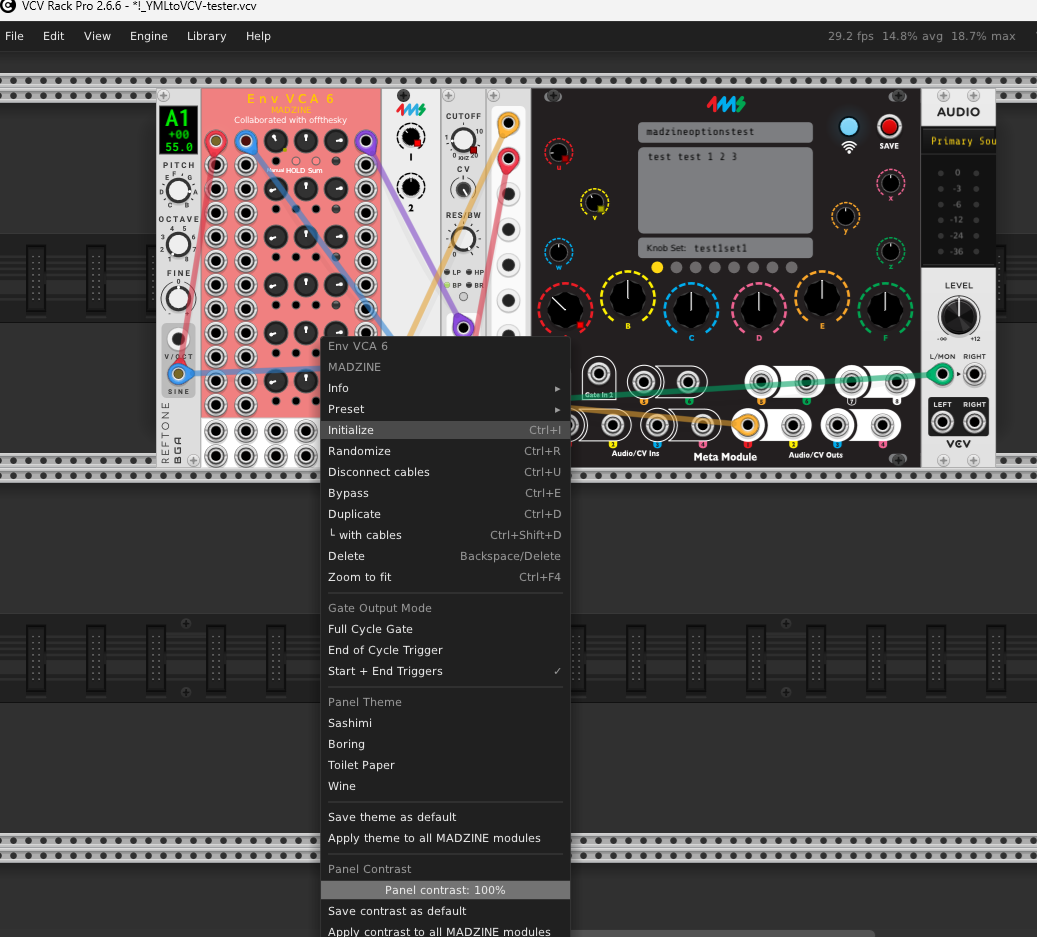
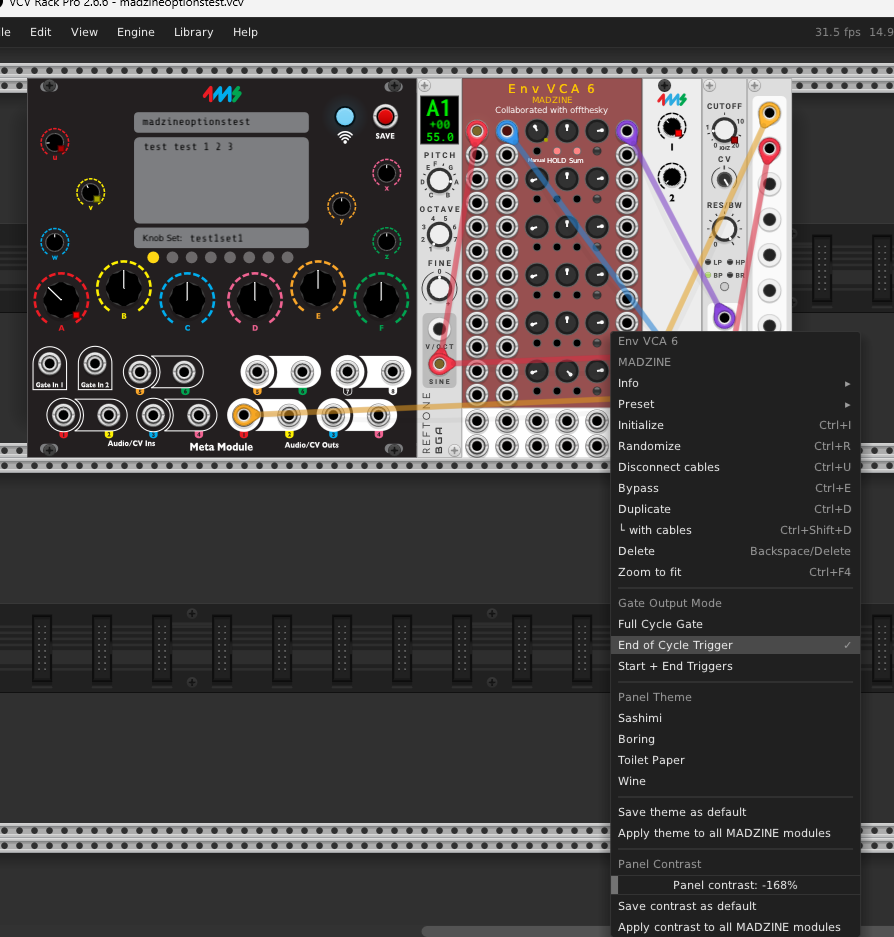
A few people have requested this so I built one with Claude Code. It’s pretty wild what computers can do nowadays!
Hope you find it useful. Let me know if you run into any issues.
A few people have requested this so I built one with Claude Code. It’s pretty wild what computers can do nowadays!
Hope you find it useful. Let me know if you run into any issues.
amazing!! TY for putting it together! looking fwd to giving it a spin soon
curious if there might be a .zip of an offline version? i’ve a 16hr flight soon and would love to really test this out during that (no problm if not).
It all runs in the browser, so you should be able to load the page in a tab and then as long as you keep it open it’ll work fine offline. Let me know how the midair testing goes!
initial quick test, when opening a .vcv made with this tool, i notice that none of the knob mappings via the mm hub module in vcv are retained. i’m guessing that’s to be expected for now?
unfortunately chrome always seems to refresh my tabs after restarting, so if i’m offline when that happens then no dice (but maybe there’s a way to turn that off). just gave extracting it a shot with this tool: SaveWeb2ZIP - Website Copier Online Tool - seems to work ok still!
You can also save a website by pressing Ctrl-S or saving from the “file” drop down menu.
the obvious way: hiding in plain sight haha. ty!!
Amazing Work! Can’t wait to try.
Oh yeah, that’s a good point. Let me see if I can fix. UPDATE: fixed!
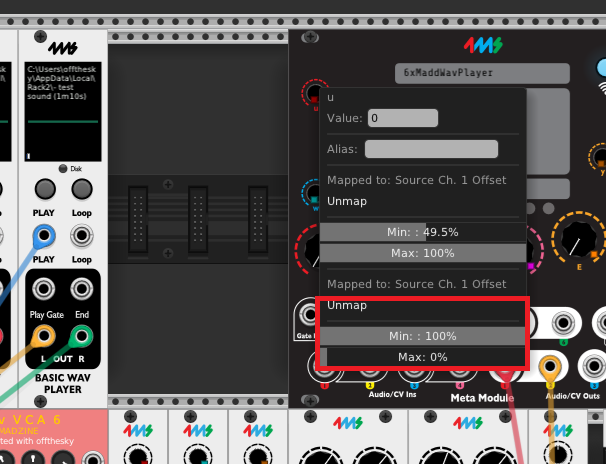
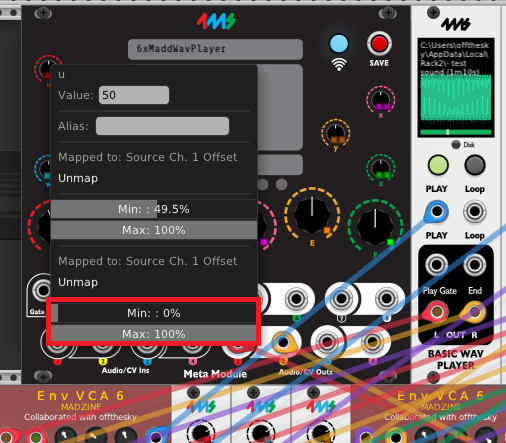
playing with this some more, noticing some discrepancies. in my original patch, the mapping offsets for certain knobs on the hub are set to 100%min, 0%max, but when converting the yml->vcv, those are getting flipped:
original:
converted:
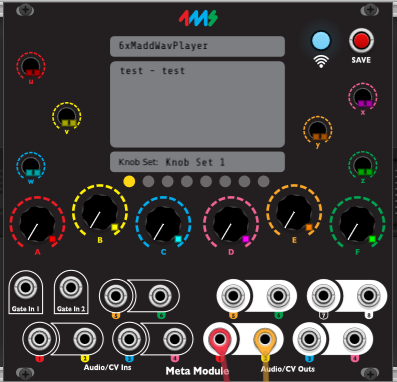
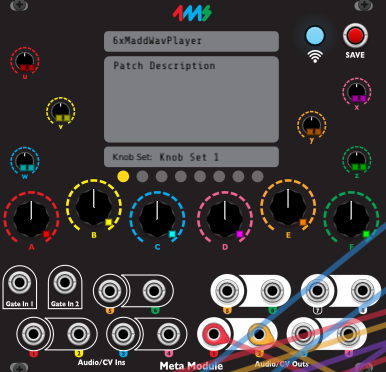
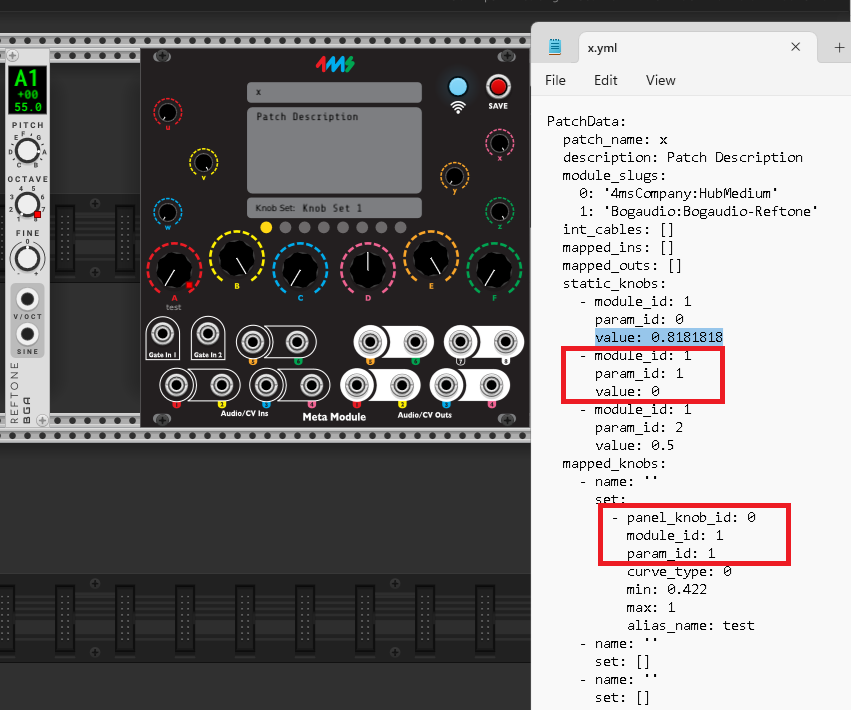
and the default knob positions for the hub are getting lost - i figure worth mentioning this since the defaults are often important to how a patch might sound when first opening it:
original:
converted:
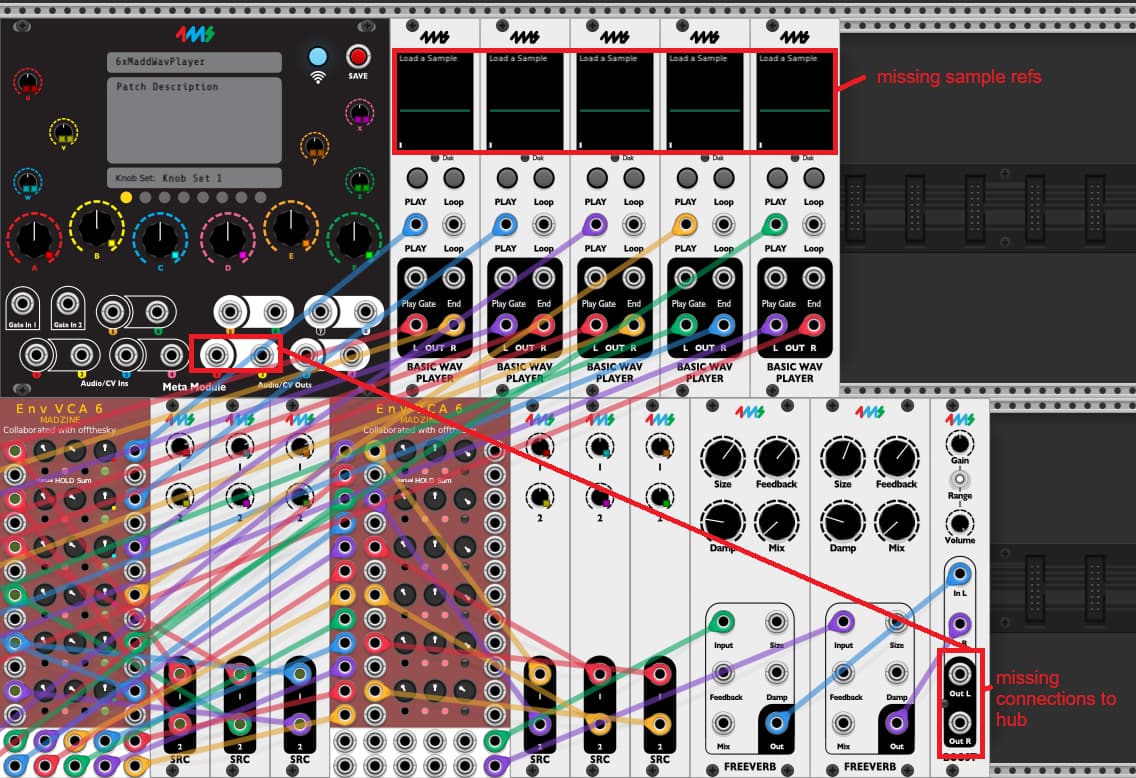
and maybe not such a huge deal, but the output wirings are getting lost to the hub, but also sample references (maybe this coincides with the point below about options):
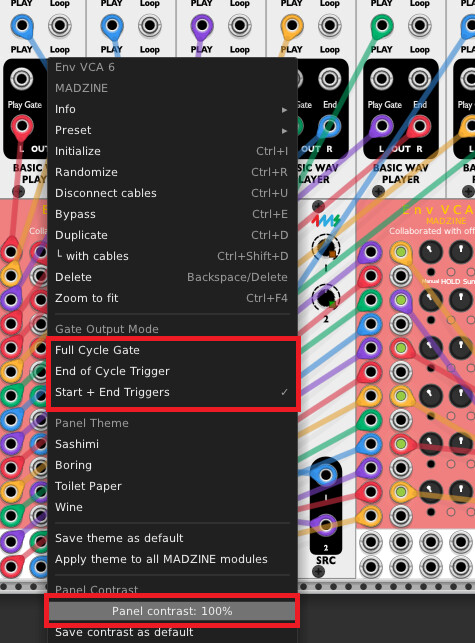
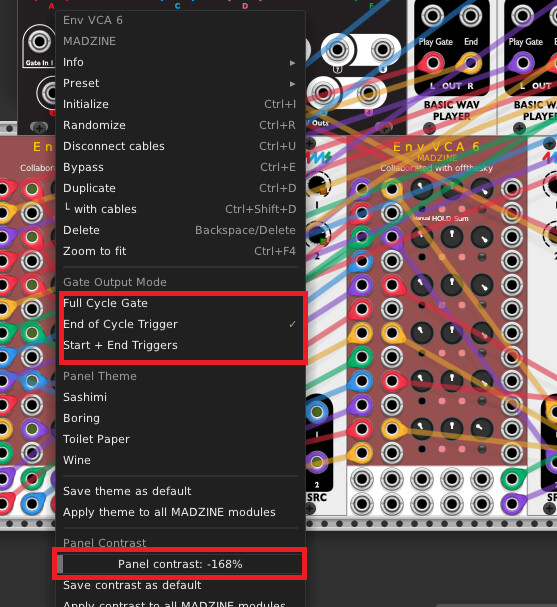
right click options: i’m noticing some of these are not maintaining from yml->vcv:
original:
converted:
sorry to bombard with issues! just figured worth mentioning 
Thanks for this report! Super helpful.
Please let me know if you still have problems with any of the above.
The issue with right-click menu options is not fixed, and points to a bigger problem. MetaModule saves knob positions as percentages (0–100%), but VCV expects the actual value in each knob’s own range. For knobs where the range isn’t 0–1 — like switches or mode selectors — the converter has no way to know the real range. Basically, the yml patch format wasn’t meant to be reverse-engineered into VCV, and it doesn’t preserve all the information necessary to do that reverse conversion.
The fix would be for the converter to know specifics about individual modules — e.g. to understand how the Madzine ENV VCA 6 stores the Gate Output Mode parameter. The solution is to get a script to scan all the available modules and make a table where it can look up how to convert. I’ll do that soon.
Oh, and the issue with Meta Hub knob positions not carrying over to VCV is not fixed either — I can’t find them in the yml file. If you create a yml patch in VCV with distinctive knob positions, are those knob positions preserved when you open the patch on Meta?
(I can’t test that because my Euro case power supply is shot and the new one has spent the past week at the FedEx hub in Memphis waiting for customs approval, which is why I’m spending all this time coding instead of wiggling.)
my guess is that the mm’s ‘default’ for the knob sets, is just using the modules params that are last set via the hub’s knobs before exporting to yml:
so maybe the only way to have the hub’s knobs set back from yml-vcv would be to read value of the params they’re mapped to and then set the hubs knobs according? i don’t know…
oh wow definitely sounds like some thick weeds! but would be amazing if the tool had that capability.
thanx again for building this!! will try and do some more tests later but so far those fixes you mention above seem to be in/working ok!!
OK, the conversion table is populated and live, so the parameters should map back to VCV Rack properly for almost every module. There are a few closed-source plugins that I couldn’t poke into (NANO, Unfiltered, Word Generator).
Smart, I bet that’s right. I’ll take a look. Update: Yup, that’s it! Should work now.
seems to be working great, ty!
i’m trying this with the madzine env vca 6 module, and it still doesn’t seem to be catching the proper options (namely the gate output mode section):
original:
yml-vcv:
perhaps i’m not doing some right though
Nope, you’re right, it’s a bug. Working on it!
Incidentally, this kind of project couldn’t possibly exist without Claude Code. I just had it build a custom VCV Rack module to dump the parameter scaling from every module in a patch, and then generate dozens of VCV patches with various modules. It’s an amount of work that absolutely would not be worth it for a human programmer, even a proficient one, just to build a little utility website.
OK, @offthesky thanks again for your help. I think this is pretty robust now! I just generated a VCV patch with 20 random modules, randomized all their parameters, and sent it on a round-trip to yml and back again, and all the parameter values survived intact. Definitely let me know if you find any that aren’t converting properly!
sounds pretty amazing! as much as folks fear/knock on ai these days, for coding/generating things like this, it seems incredibly useful in this space. so in your opinion claude might be useful for creating meaningful and decent sounding (given training,i assume) vcv patches?
so far with some of my own patches, everything appears to be working ok! ty again for this tool!
Really interesting. Playing with Claude Code has been enlightening for me. AI is amazing at generating functional strings of symbols — that might be computer code, or it might be “a VCV patch containing the next 20 modules from this list.” There was no musical purpose to those patches, they didn’t make sounds. They just enabled another bit of Claude-generated code to pull some information about how the parameters are mapped.
I don’t think you can make interesting art without intent, and AI itself doesn’t have intent. But I bet at some point an artist or artists will show up who will bring some novel artistic intent and use AI as a tool to make some things they couldn’t have been made any other way. That won’t be the AI, that’ll be an artist.
And electronic music is all about artists finding artistic uses for unlikely tools, so it would be unsurprising if “using AI to generate and select VCV patches according to particular artistically shaped parameters” were one of the paths by which this new tool is incorporated into artistic practice.
if anyone is interested it’s shockingly easy to give it a try. Pay $20 a month for a Claude Pro account, set up Claude Code on your machine, and tell it to make a VCV patch to your specifications. It’ll mess up and you’ll have to correct it, but it can learn from its mistakes. What a crazy time.
This is really cool!
I haven’t gone through the code yet, but I’m wondering if you’d be interested in seeing this as part of the Hub module (or maybe a separate importer module). Then it could be run in VCV and be able to use the rack API to do things like set params to their native value from a 0-1 scaled value, and query the module size, etc. They way you did it with a json table was pretty clever, though. I agree this was a daunting task to consider doing not long ago, but it’s trivial with these new tools.
Also, I’d be open to extending the patch format to store the module XY position in the patch yml file. That should make the module positions be the same when re-loaded.