External Audio Path:
Audio main output on ch 1. and ch. 2
Internal Audio Path:
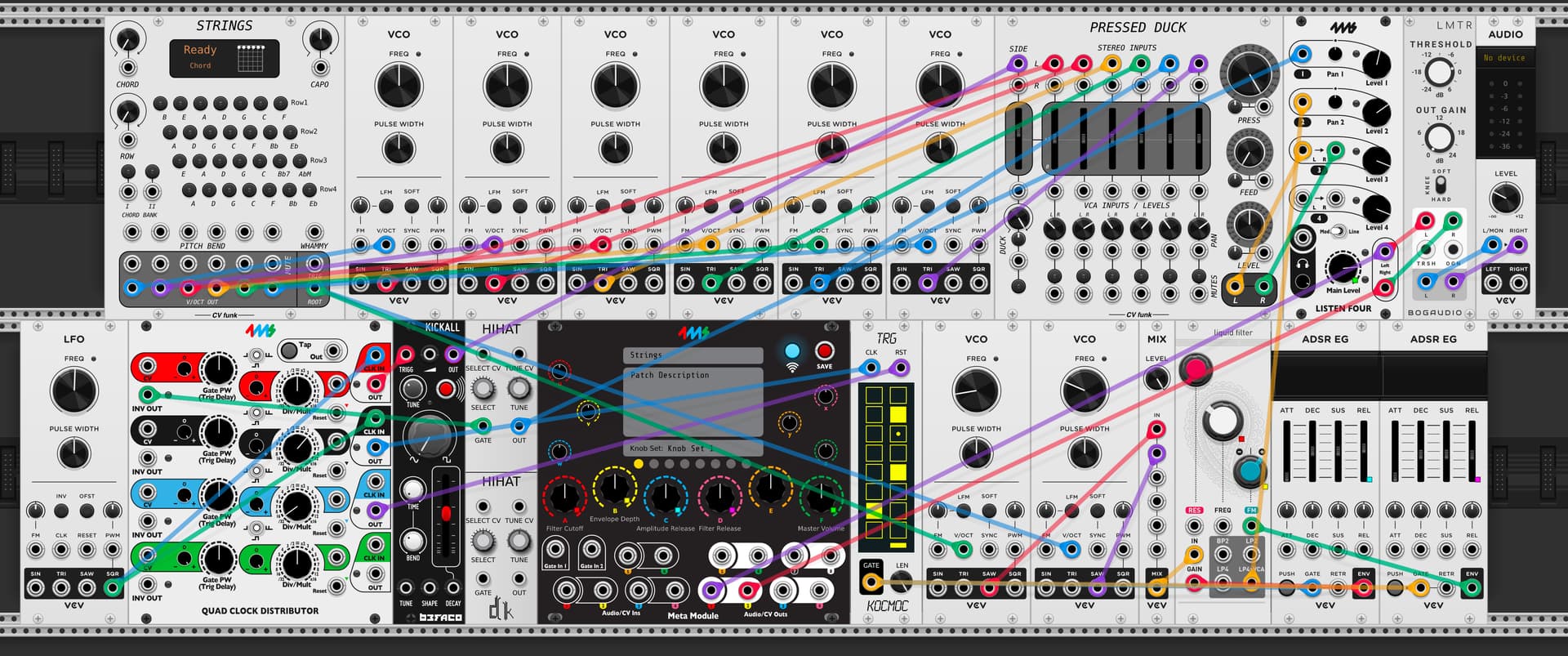
-6 triangle wave VCOs are fed into 6 audio input channels of Pressed duck
-A Befaco Kickall is fed into the pressed duck sidechain input.
-A listen 4 is used as the master mixer taking in audio from the pressed duck, a hi hat, and a bassline.
-A bass synth is made from two sawtooth wave VCOs which are summed together into a lowpass filter.
-The entire mix goes into a limiter for protection and boosting.
Internal CV Path:
-The individual v/oct outputs from Strings go to each of the 6 triangle wave VCOs.
-The root v/oct output goes to the bassline.
-Two ADSR’s are used to control the bassline, 1 for amplitude, and 1 for filter cutoff.
-A looping gate sequence is triggering the bass envelopes.
-A QCD sequences the kick, hi hat, and clocks the gate sequencer for the bassline
Metamodule knob mappings:
A - Bass filter cutoff
B - Bass envelope depth
C - Bass amplitude release
D - Bass filter release
F - Master volume
MIDI Mappings:
-Individual MIDI notes are assigned to buttons on Strings. You can plug a USB keyboard or control interface that outputs gates into the USB on MM and use it to push the buttons.
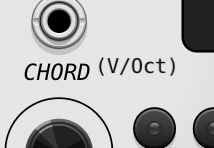
Scroll down past Params, Jacks, Displays to Options. The middle option allows V/Oct input VS the Classic Chord Set presented. The 1st jack now Chord selector CV In is your V/Oct. EDIT (FYI that pic above does not display what my version shows in that mode. When it is in the current version of VCV you see the (V/Oct) in brackets displayed )
This patch uses a MIDI mapping feature that’s only accessible inside Metamodule. You can control GUI elements not normally addressable in VCV’s MIDI map with MIDI notes or CC messages. This MIDI behavior is similar to how Ableton’s MIDI mapping feature works for plugins.
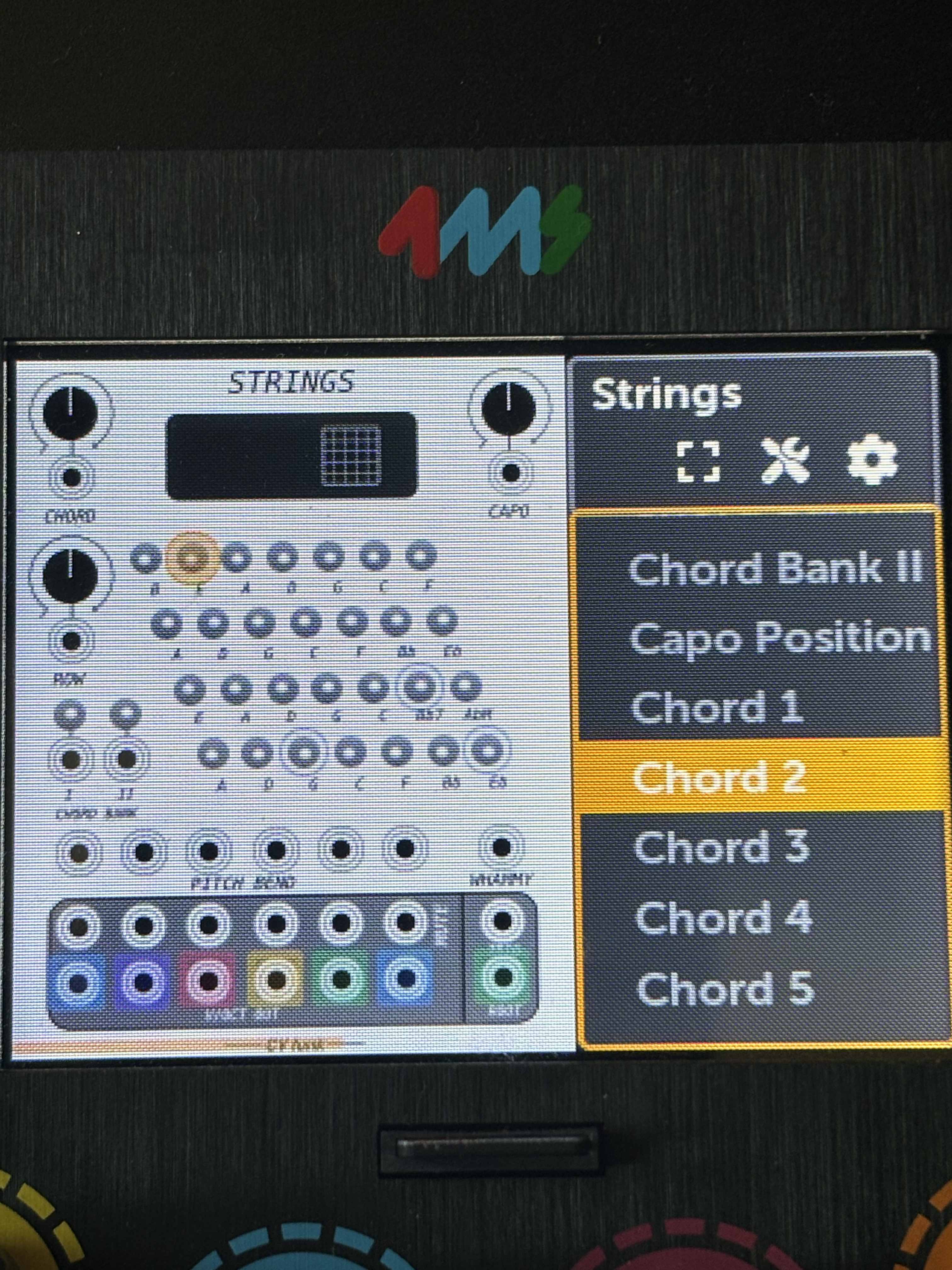
If you open up the patch and navigate to the Strings module you’ll see 3 blue circles around 3 of the buttons; this is an indication that they’re mapped to MIDI.
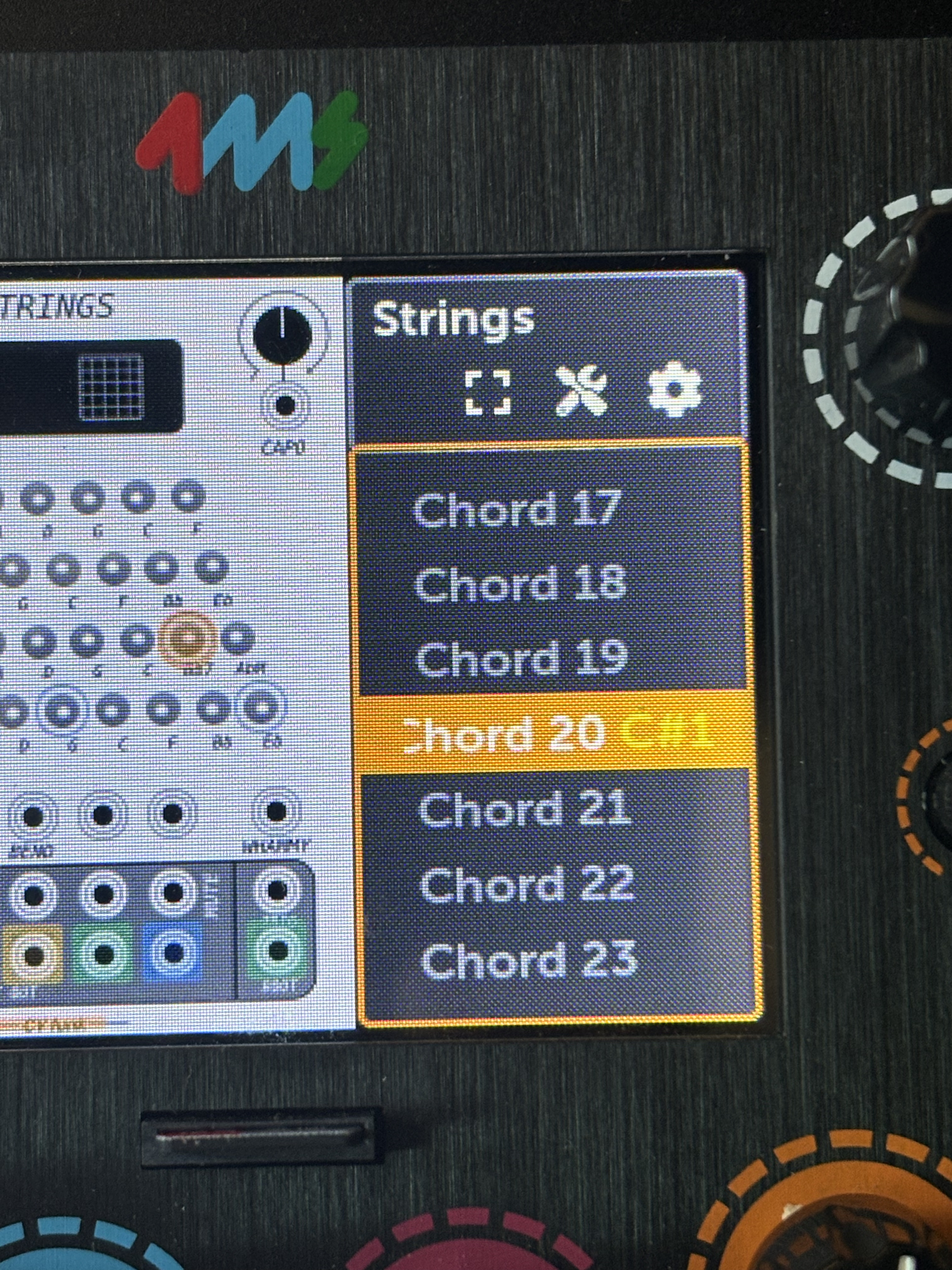
If you navigate to the parameter itself (in this case the Bb7 button) you’ll see next to it what the mapping is - MIDI note C#1. This mapping can be replaced if you click on the parameter and push a new MIDI note or CC on your midi controller.
Current MIDI note mapping:
Bb7 - MIDI note C#1
G - MIDI note D1
Eb - MIDI note C1
Thank you. I was able to map to Launchpad X which controls the triggers on the CV Funk. My goal is to attempt to have one controller to handle Ableton and MM. My dilemma I’m finding now is CC controls in Ableton.