Entering and naming jack alias for the CV expander module for output 15 and 16 results in an immediate exit of VCVRACK (suddenly quits). I have successfully entered values for all other jack alias but naming these two outputs on the CV Expander module results in a crash of VCVRACK . I have tested this bug on complex patches and simple metamodule+expander patches and the crash occurs regardless of patch complexity.
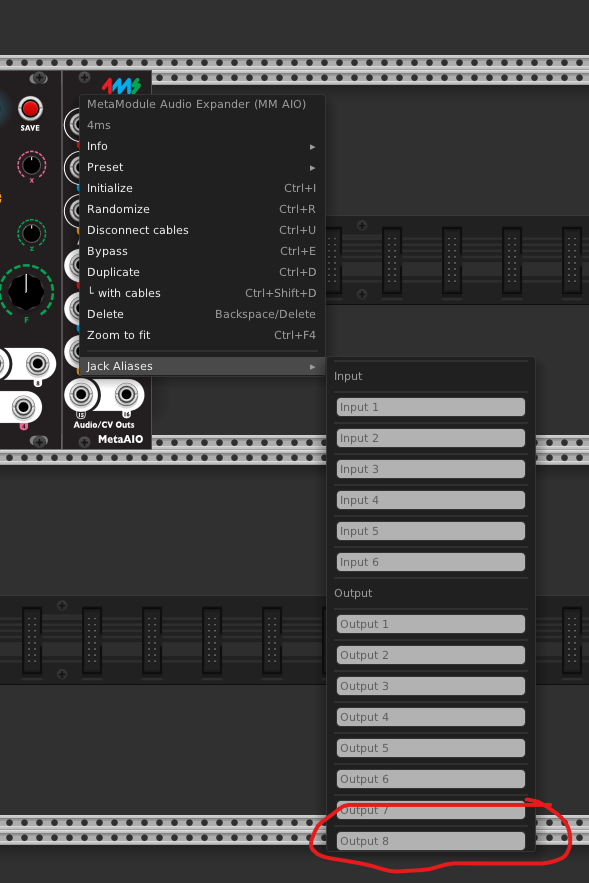
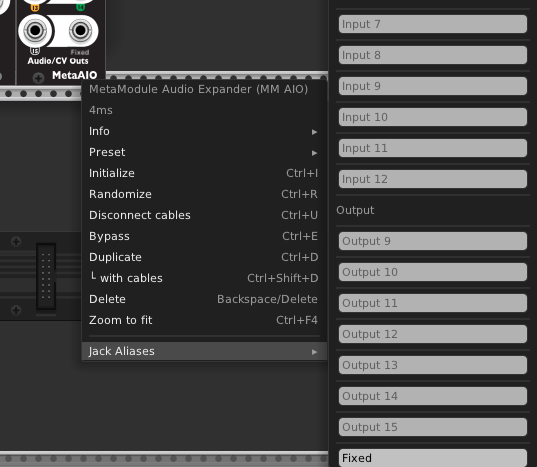
Additional Recommendation: Prior to entering text in these jack alias fields on the virtual CV expander module they show as inputs 1 to 6 and outputs 1 to 1 to 8 which is not what their actual numbers are on the hardware expander. I believe it would make sense to name the jack inputs/outputs on the virtual CV Expander as they appears on the hardware expander ( inputs 7 to 12 and outputs 9 to 16) .
I am on Firmware 2.1.2. / PC WINDOWS 10 / VCVRACK PRO.
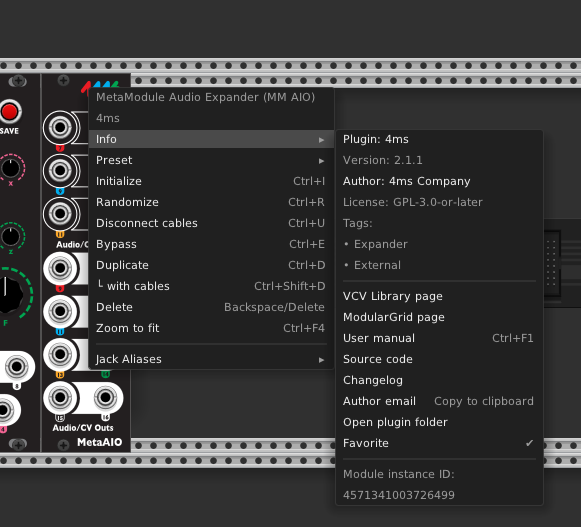
What version VCV Rack plugin are you using? The latest is v2.1.1, try installing that directly from the VCV library (in case you were compiling your own), or install it from our releases page on github.
Where do you see these numbers 1-6 and 1-8? If you hover the jack, it should display the matching numbers In7 to In12 and Out9 to Out16, which matches the text on the Expanders. I just checked, and that’s the behavior for v2.1.1.
I’m not able to make it crash on macOS arm64, macOS x86, Linux, or Windows using the latest official Rack Free version (2.6.4) and the latest 4ms plugin (v2.1.1). Can you be more specific about what steps to take to make it crash? For example, if you create a new blank patch, then add the MetaAIO module, then right click Out 15 or Out 16 and type something in the Alias field, do you get a crash? Or do you have to do something more than that?
I was able to replicate this on Windows.
Windows Version: Windows 11 Home : 10.0.26100 Build 26100
VCV Rack Version: VCV Rack Free 2.6.4
4MS Plugin Version: 2.1.1 (not manually installed - pulled in by VCV rack library)
Steps to replicate:
- Create new default VCV Rack Patch
- Add Metamodule and Metamodule Expander
- Right click on Expander module
- Begin typing in the Output 8 Field under Jack Aliases → Output
VCV CRASHES
Thanks for the detailed explanation, I can get it to crash now.
I see the light grey text with the 1-6 and 1-8 now.
Hopefully will have a fix shortly…
Ok, I found the issue and fixed it. I’ll push a release shortly.
In the mean time the easy work-around is to right-click the actual jack (not the body of the module). Then you can enter the alias for the jack directly.
I also made the greyed-out text in those boxes match the correct jack numbering
Here’s the updated version:
Thank NixtaOz for taking the time to verify the crash and to document it with images. Well done. Thank you Dan for pushing out a fix so quickly. Bravo. I’ll try to follow NixtaOZ documentation style if I encounter any other issues.
3 Likes