Early/beta support for Polyphony

We have some early support for polyphony, with max 4 poly channels.
The workflow is not worked out yet (missing some key MIDI stuff, for example), but poly cables are working.

It’s surprisingly low on CPU usage.
E.g. a simple voice patch with Venom and Fundamental modules in Mono runs 56% and in 4-voice stereo runs 59%.
Another example is using MIDI->CV into Alg Osc II (Plaits clone), and a mono patch running at 24% goes up to 28% for duo-phonic, 32% for 3 voices, and 36% for 4 voices. Still well under the load for duplicating the patch 4 times.

I’ve been testing with the Cloned Instruments (e.g. Plaits clone), the Fundamental modules, and the Venom modules. The Venom and Fundamental have lots of SIMD support which means 4-voice poly adds very little CPU load.

There are also three new module in built-in RackCore brand: Sum, Merge, and Split. These are identical to the Rack versions, except limited to 4 channels.

To use MIDI with polyphonic cables, you cannot yet do it from within VCV Rack. Until I update the 4ms VCV plugin, for now you have to add the MIDI->CV module manually to your patch from within MetaModule (not from within VCV Rack). This module is located in the RackCore brand. In the options menu you can select polyphony up to 4 (above 4 is treated as 4). Then MIDI polyphony will automatically work.

In the future I will try doing 8 or 16 voices, but that will require a API change, which means it’ll have to be part of a future v3.0 firmware.

This is very early development testing (there are glitches and I got it to hang once), but it’s a lot of fun to play with so I’m putting it out there for feedback. The nice thing is that all existing plugins already work (or, they should, please report any bugs on this thread).

Firmware:
https://github.com/4ms/metamodule/releases/download/firmware-v2.1.99-poly4-001/metamodule-firmware-v2.1.99-poly4-001-firmware-assets.zip

Venom plugin with poly modules added:
https://github.com/4ms/metamodule-plugin-examples/releases/download/Venom-v2.1.1-dev-poly/Venom-v2.1.1-dev-poly.mmplugin

35 Likes

Very exciting to see the first steps into polyphony in the MetaModule! :slight_smile: Thanks for the great work, Dan!

2 Likes

Hi Dan! Nice work with Polyphony in the Meta universe!

I saw that there was a beta firmware called USB video out!? Would you like to expand on that a little? Does it mean you can record the screen in like OBS and stuff? :wink:

Cheers!!

Yes, we’re working on a USB video feature that lets you plug into a computer and display the screen on a computer. The protocol is the same as web cameras (UVC), so any software that can display a web cam will work. It just mimics the pixels from the built-in screen, so it’s 320x240px, 16-bit color. The frame rate is variable depending on graphics and audio load. It’s suitable for creating videos (tutorials, demos) or if you prefer a larger display than the built-in screen. It might be interesting to use for simple lo-fi visualizers/video FX, but it’ll never be as smooth and hi-res as just recording a native computer visualizer.
Because I know this will get asked: you cannot connect it directly to a video projector or monitor unless it supports web camera inputs (I don’t know if such a projector/monitor even exists). That is, the MetaModule is not an HDMI or DisplayPort device, and there is no way to make it support that.

6 Likes

Yes! I love that, awesome! Great job!

Hi Dan, I have a question about the upcoming USB video (UVC) feature on the MetaModule.

Since the USB-C port will handle both MIDI (host) and video (device), I’m wondering how this behaves in combination with a USB-C hub.

Will the MetaModule work correctly through a USB-C hub (video + MIDI simultaneously)?

Can it expose both UVC (video) and USB MIDI at the same time over a single connection?

Are there any limitations regarding hubs (powered vs unpowered, bandwidth, number of devices)?

USB hubs are not supported in firmware. I have a branch where hubs mostly work, but there are some edge cases that still cause issues, like some devices not re-connecting properly after plugging, unplugging, and re-plugging. High-speed devices work, but full-speed and high-speed mixed on the same high-speed hub is where we still see issues.

To do MIDI and USB video at the same time through a hub, I would need to test how it performs. And maybe re-visit the hub branch and see if I can clean up the edge case issues.

3 Likes

Ok, clear explanation, thanks. And thanks for all the great work you deliver!
Bit of a crazy question: would it be possible for the video connection to work over wifi as well? Yes, I make a lot of use of the Retrokits RK-006 (with a USB hub), and it would be really great if I could connect the MetaModule to it.

Updated polyphonic cable support if anyone wants to play with it (feedback welcome).
There are updates to the firmware, MM plugins, and 4ms VCV plugin. Each of these updates is compatible with earlier versions of the others, as so far we are still on API v2.1 (e.g. everything is backwards compatible and Poly Cables should “just start working” when you update the firmware).
Max poly channels is 4.
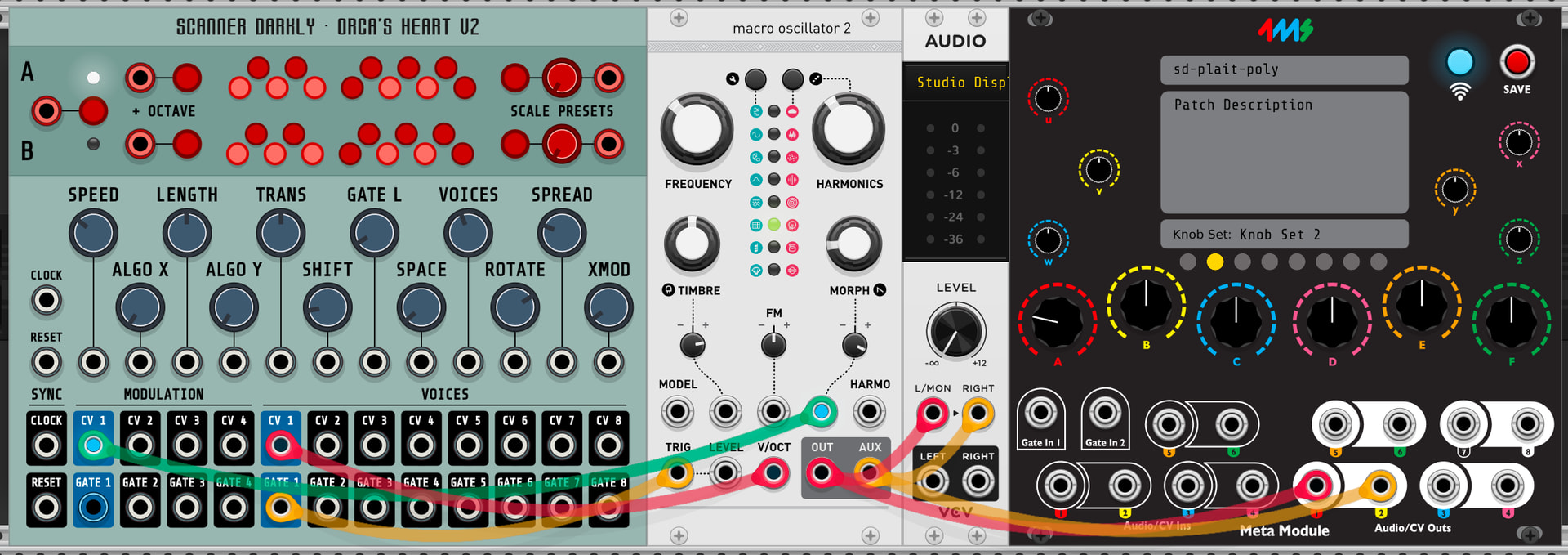
Many existing modules and plugins work with polyphony without needing to upgrade the plugin. For example, SDOrcasHeartV2 into Plaits immediately delivers a polyphonic experience.

Firmware v2.1.99-poly-004:

4ms VCV plugin

  • Adds context menu options on Hub module to select Built-in MIDI or RackCore MIDI.
    Built-in is closer to the current behavior where using the MIDI->CV module will create native MIDI mappings in the patch. RackCoremode will use MIDI modules as-is, replacing them with the RackCore version.
  • Split and Merge modules are no longer removed. Instead, poly cables are used as patched.
  • Also adds a context menu option to automatically patch Audio Interface L/R in to Hub Outs 1 and 2 if you forgot to run cables to all output jacks.

Venom plugin:
(same as previously mentioned)

Fundamental plugin:
Adds Sum, Split, Viz, and Merge modules to the plugin:
https://github.com/4ms/metamodule-plugin-examples/releases/download/Fundamental-v2.1.0-rc1/Fundamental-v2.1.0-rc1.mmplugin

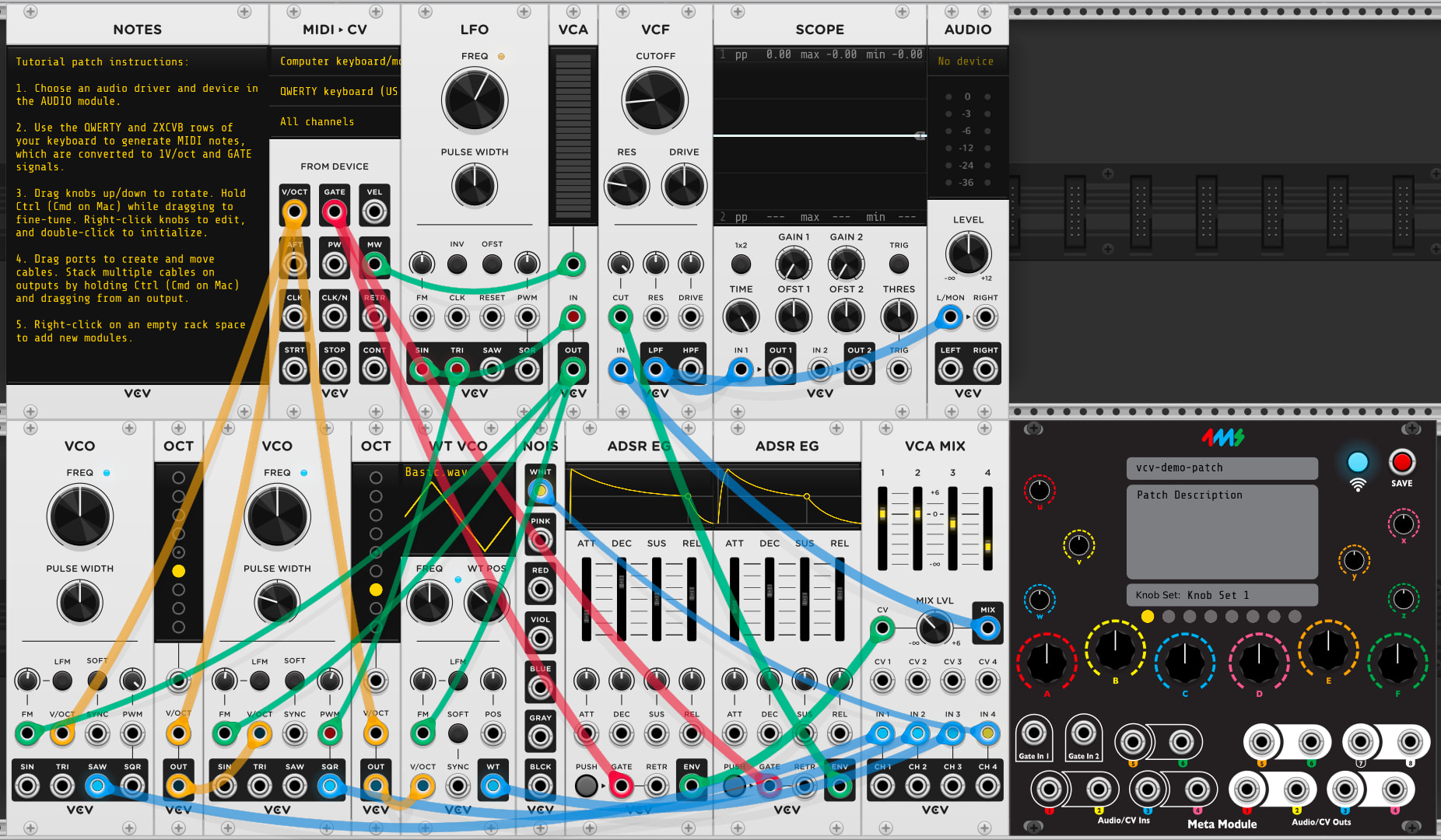
Example patches:

9 Likes

this seems like an amazing leap! excited to play with it (sadly won’t be able to until after the shows).

i’m curious and thinking ahead, with polyphonic samplers, will they need to occupy 4x the ram?

I ran a simple test last night and was genuinely surprised—the resource usage was far lower than running four OSC groups.

As I recall, without poly cables, I couldn’t achieve polyphony with CV Funk Ouros because everything had to be multiplied by four, which would exceed the available resources. Now, using poly cables along with reverb (plateau) and delay, it only consumes 59% CPU—really impressive.

Thanks Dan. Looking forward to the official firmware release.

Simple test video

https://youtu.be/OHk4hN8m9rA?si=JHGbJt_tgaHkuRyK

3 Likes

finally getting a chance to play with this, the 2 demo ymls work great! but when trying to build a simple patch from scratch directly on the mm, im not getting poly behavior.

blank patch, i created a plaits instance, mapped the gate/trigger to note (with poly set to 4), and the v/oct in to pitch-4 poly, and out from the plaits to panel out1, but only on every 4th press of the midi keyboard do i hear a note. i’m assuming that the notes coming in poly, but the module is still in mono mode. perhaps im just missing an obvious step here.

also im curious is there no way to access the midi settings (via connected to box) to re-config midi for an input after it’s bee set? there doesn’t seem to be a way to do that, but currently can remove the mapping and start over

Oh yeah, we’re still missing the feature to let you create a poly midi mapping to an input jack from within the MM. I plan to add that soon. It’ll just appear on the midi jack page as another option (need to figure out the wording to make a clear distinction between a poly signal and a poly channel)

And you’re right, there’s no editing feature for midi or panel jack mappings, so remove+replace is the way to do it.

2 Likes

Finally installed this and it is dope. Extremely satisfying. It Just Works.

Sorry I don’t have more actionable feedback!

Great! There’s another update that fixes an issue with editing a poly mapping:

https://github.com/4ms/metamodule/releases/download/firmware-v2.1.99-poly006/metamodule-firmware-v2.1.99-poly006-firmware-assets.zip

2 Likes

Nice work @danngreen - was trying this out over the weekend…

1 Like

a couple of questions on this from a dev perspective, as I have a ‘personal’ module (basically an MPE version of plaits) for vcv desktop

a) currently (2.1.6) , do you just ignore poly cables i.e. use cable 0.
b) you mention a 4 voice limit, is this just the midi → cv, or 4 cables limit per jack?
c) im assuming this is compatible with the vcv poly cable from an api point of view.

thanks for the info

For the most part, yes.. In 2.1.6 (and 2.1.7) the patch player only uses channel 0 (rack::engine::Input::voltages[0]).
However, rack modules have storage for four channels of floats per jack (that is, rack::engine::PORT_MAX_CHANNELS == 4 and thus rack::engine::Input::voltages.size() == 4). It’s just that channels 1-3 are ignored by the patch player.
The reason I kept this extra storage is that several/many rack modules process audio in blocks of 4 channels at a time using SIMD. So having four channels meant the existing code could run as-is.

Good question, and yes there are two types of “poly”. MIDI poly has always been limited to 8 channels since v1.0. This is just how many software “voices” the MIDI decoder will allocate and send to modules. E.g. this is thing where you have multiple VCOs, the first one assigned to MIDI Poly Channel 0 Pitch+Gate, the second one to MIDI Poly Channel 1 Pitch+Gate, etc… When creating a MIDI map on the MetaModule you can choose the poly channel in the menu, or when using the Rack Core MIDI->CV module tied to Split modules, then the number of the Split jack determines the poly channel.

In the poly firmware (v2.1.99-polyXXX), there is a second kind of poly, which is poly cables. It works the same way it does in Rack, except that it’s limited to 4 poly channels per cable. Over 4 is just ignored/returns 0.
We can easily bump that up to 8 or 16 (literally just changing one number and re-compiling), but it would break API compatibility so it would need to be released as v3.0. It can’t work in any v2.x firmware without breaking semver rules since it will change the data layout of the module base class and legacy modules will need to be re-compiled with the new poly layout to work in such a firmware.

Yes, I followed the same pattern: output jacks set the number of channels for the input jacks they drive. Summing cables use the highest value present, and zero-out unset values.
The one thing I added was automatically summing all poly channels if you map to a physical panel jack.
Existing rack modules that use poly in the desktop Rack will “just work” when run on poly firmware (with the caveat that it’s max 4 voice poly).

1 Like

cool, ok - is there a suitable macro in SDK for max voice count?
I can just then use #ifdef METAMODULE, to set my max voice to that (4), rather than the 16 I have now for desktop.

rack::Input::PORT_MAX_CHANNELS should resolve to 4 in MetaModule, and 16 in Rack

Edit:: sorry it’s rack::engine::PORT_MAX_CHANNELS

1 Like