NOTE: FOR THIS PATCH TO WORK YOU MUST LOAD THE INCLUDED WAV FILE SONTO YOUR SD CARD AND PUT THEM IN THE SAME DIRECTORY AS THE YML PATCH FILE. THE SAMPLES CAN BE FOUND AT THE FOLLOWING SOUNDCLOUD LINK:
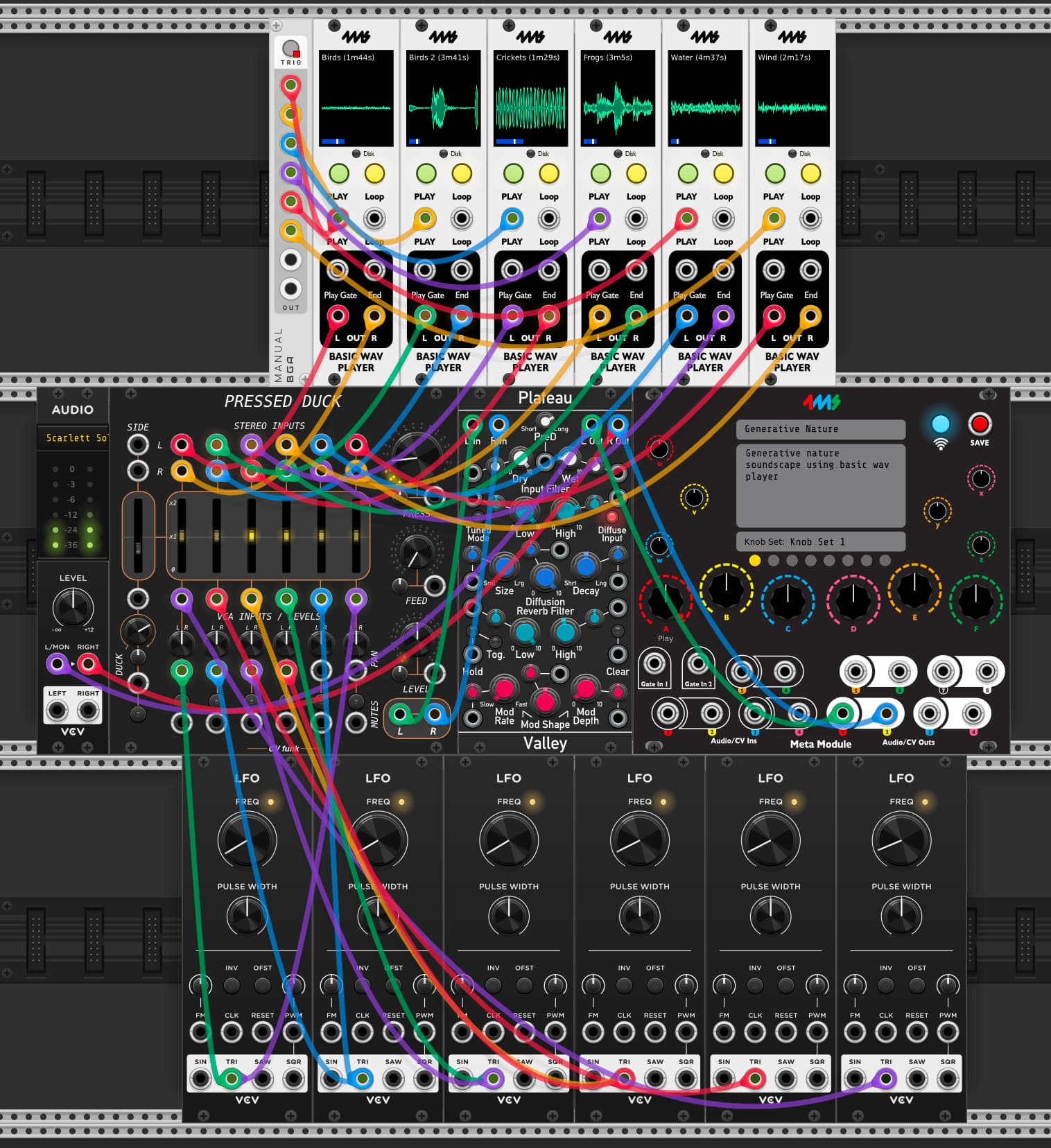
This patch takes 6 basic WAV players, and mixes their signals together with control voltages. The pressed duck is used with its compressor engaged to keep the amplitude stable across the channels. 6 LFOs modulate the volume of each channel. The entire mix is sent into a reverb to help smooth over the fading of the signals.
External Audio Path:
-Main audio outputs on channels 1 and 2.
Internal Audio Path:
-6 basic WAV players are ran into the pressed duck and mixed together.
-The pressed duck is ran into a master reverb
Internal CV Path:
-6 LFOs are ran into the VCA inputs of pressed duck to modulate the volume of each channel.
-The same 6 LFOs, routed in reverse order control the pan for each channel (LFO 6 controls ch.1, LFO 5 controls ch.2 etc)
-A manual trig module is sent to the play input of all 6 Basic Wav Players, so that all 6 of them can start at the same time when it’s pressed.
When I try to load the wav files in the Wav Player in VCV Rack, I get “Error loading file.”
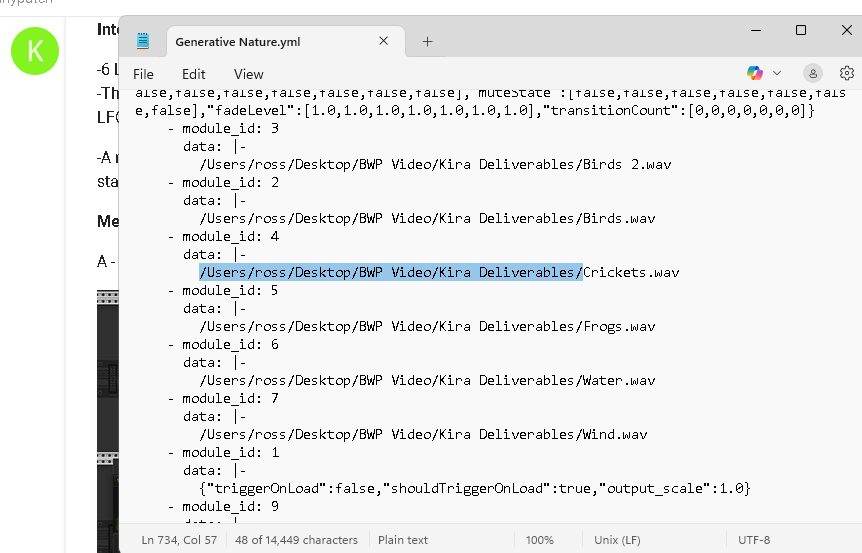
It’s weird because when I create an empty patch and add a Wav Player I can load the wav files just fine. But for some reason the samples won’t load on this patch. This is on macOS 15.6.1, VCV Rack 2.6.4, 4ms plugin v2.1.0.
if you edit the yml in a text editor and remove the paths (so its just the filename.wav).. it should work as long as the .wavs and the yml are in the same folder together
Ok, right, we were mostly concerned with making sure it works as-is with no path finagling if you load it into the MetaModule. I just tried with a fresh v2.1.1 firmware installed, and the patch and all samples loaded fine (the .wav files and the .yml files in the same directory).
You shouldn’t have to edit any .yml files or anything anymore.
But when loading the .vcv patch file in VCV Rack, that makes sense that the .wav files will need to be loaded manually (You could probably edit the json file embedded in the .vcv file if you wanted to). I’m not sure the best solution, this surely comes up with other VCV-native sampler modules? I know some allow you to embed the .wav file in the patch, but it’s not practical with the MetaModule Wi-Fi workflow to transfer huge patch files like that. Maybe we could have an option in the Basic Wav Player to strip the paths? I’d have to see if that works in VCV to load a file relative to the patch .vcv file